

Java (Paper, Purpur, Folia): open ChunkArc Manage, press Manage world, then Update on the update card. Tick both boxes and press the update button. Bedrock: on the home screen press Update on Update available, tick I understand, update my server and confirm.
Before you update
- The world is converted to the new version the first time it starts. Going back to an older version needs the safety copy.
- Everyone needs the same game version to join. Tell your friends to update their game too.
- Some plugins or mods may stop working until their authors update them.
1. Paper, Purpur and Folia
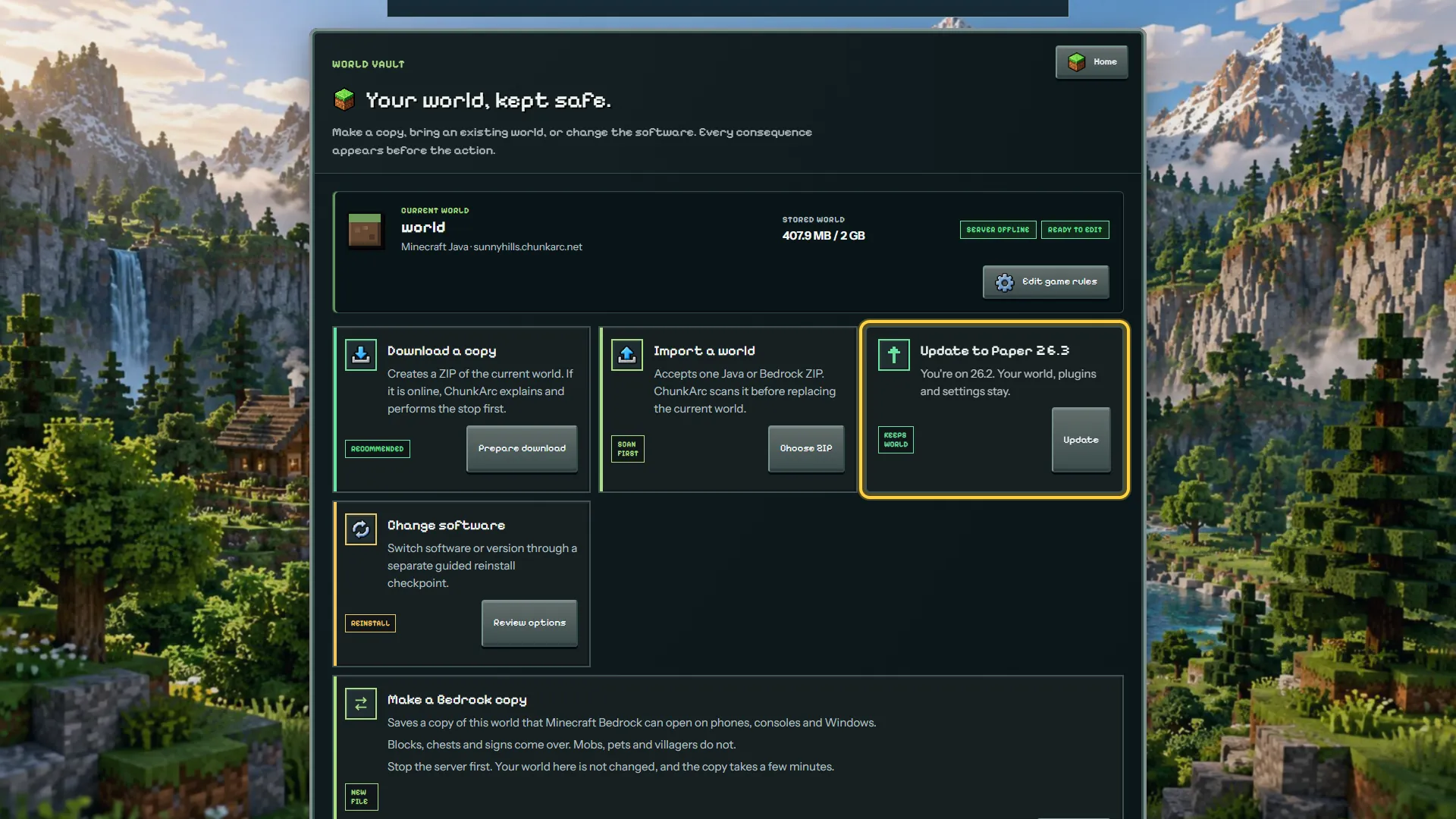
- On the home screen press Manage world.
- When a newer version is out, a card such as Update to Paper 26.3 appears. It says that your world, plugins and settings stay. Press Update.
2. Read and confirm
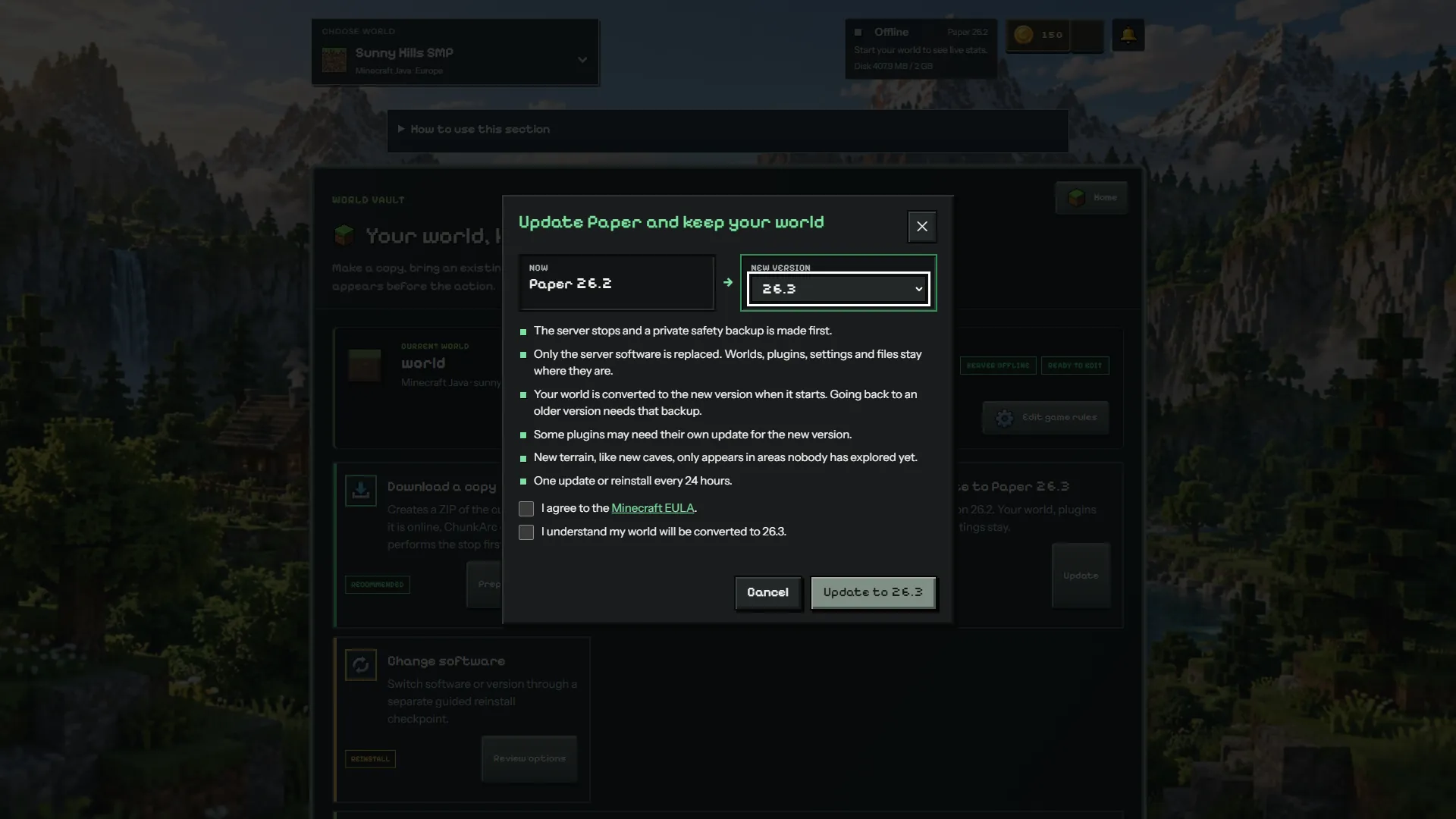
The window lists what happens: the server stops, a private safety backup is made, and only the server software is replaced. Worlds, plugins, settings and files stay where they are.
- Check the version under New version.
- Tick the Minecraft EULA box and the box that says your world will be converted.
- Press the update button. When it says Update complete. Your world was kept., start the server.
You can update or reinstall once every 24 hours.
3. Bedrock servers
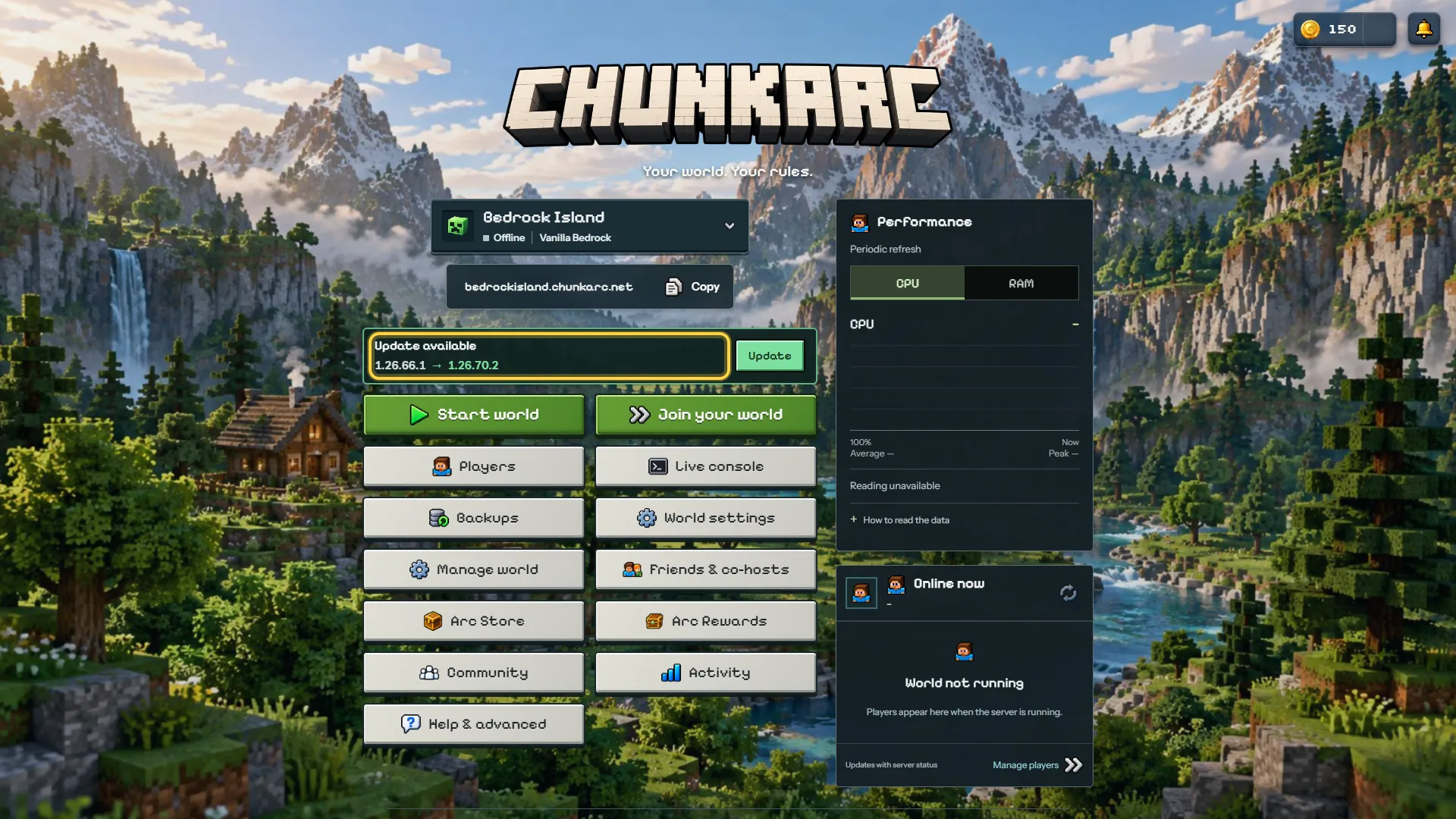
When a new Bedrock version is out, the home screen shows Update available with the old and the new version. Press Update.
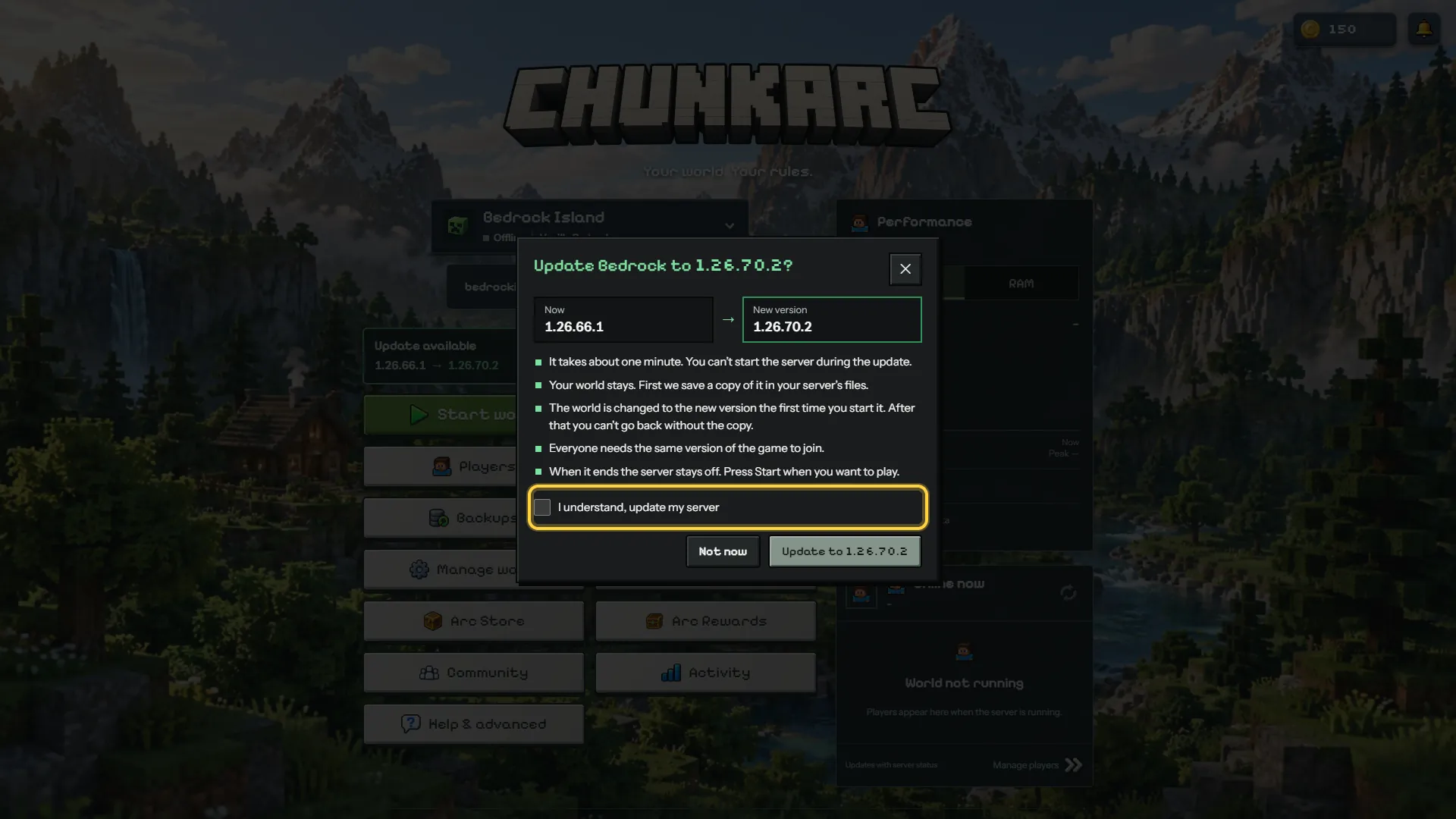
4. Confirm the Bedrock update
- Read the points in the window. If the server is on, it is stopped first and players are disconnected.
- Tick I understand, update my server.
- Press the update button. It takes about one minute: the server stops, a copy of the world is saved in your files, and the new version is installed.
- The server stays off at the end. Press Start world when you want to play.
You can close the page while it runs. The update goes on by itself.
Automatic Bedrock updates and emails
In World settings, Bedrock servers have Update by itself when the server is off. With it on, a new Bedrock version is installed while nobody plays, and the world changes to the new version at the next start. Email me when an update is out sends you a message instead. Vanilla Terraria servers show the same Update available card.
Common questions
Will I lose my world when I update?
No. The world stays, and a safety copy is made before anything changes.
Can I go back to the old version?
Not with the same world after it has started on the new version. Use the safety copy for that.
Why do I not see an update card?
The card only appears when a newer version is out for your server software. Paper, Purpur, Folia, Bedrock and vanilla Terraria servers show it.
Stay on the latest version
Updates with a safety copy, only when you say yes.
Open Manage