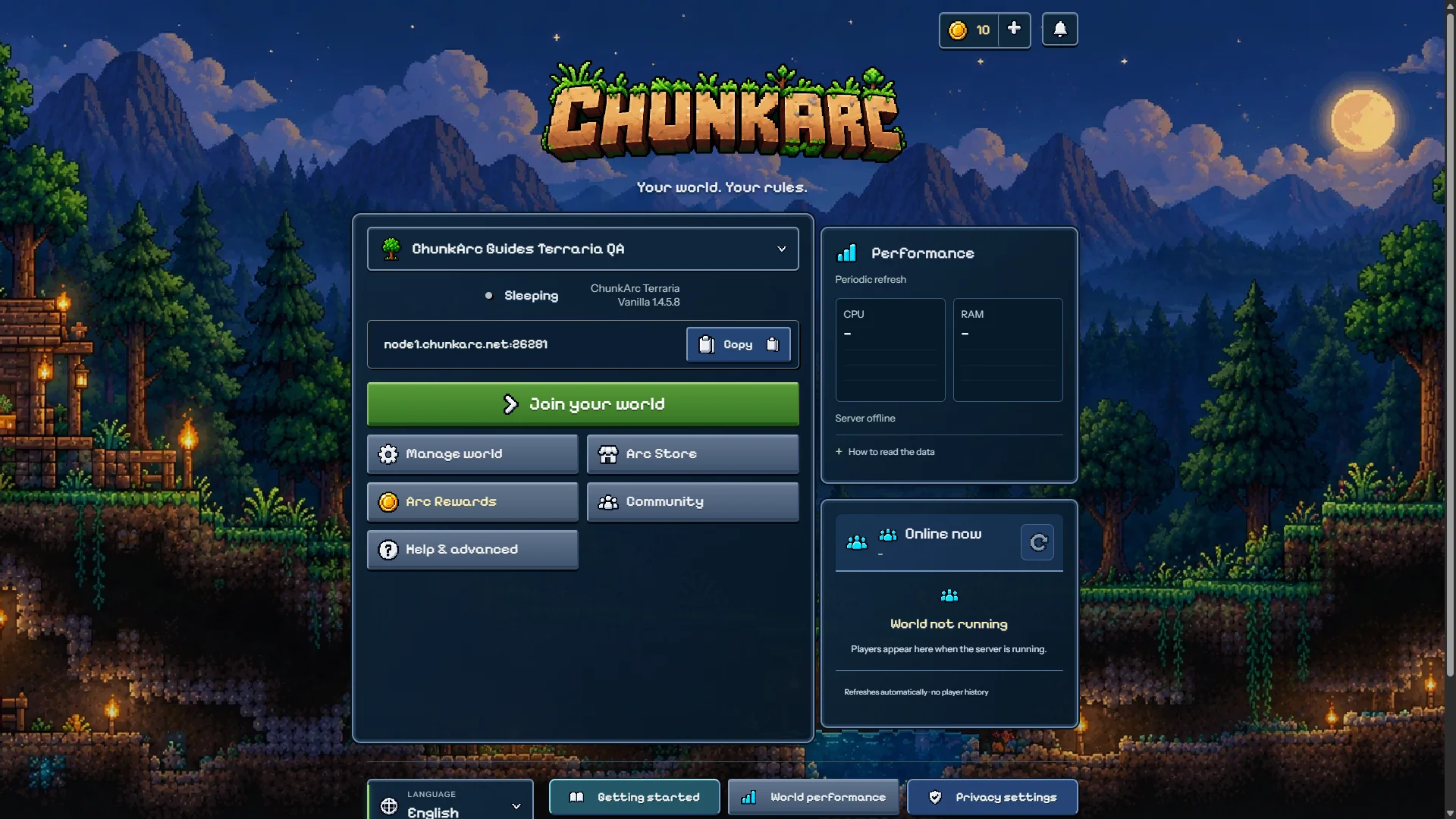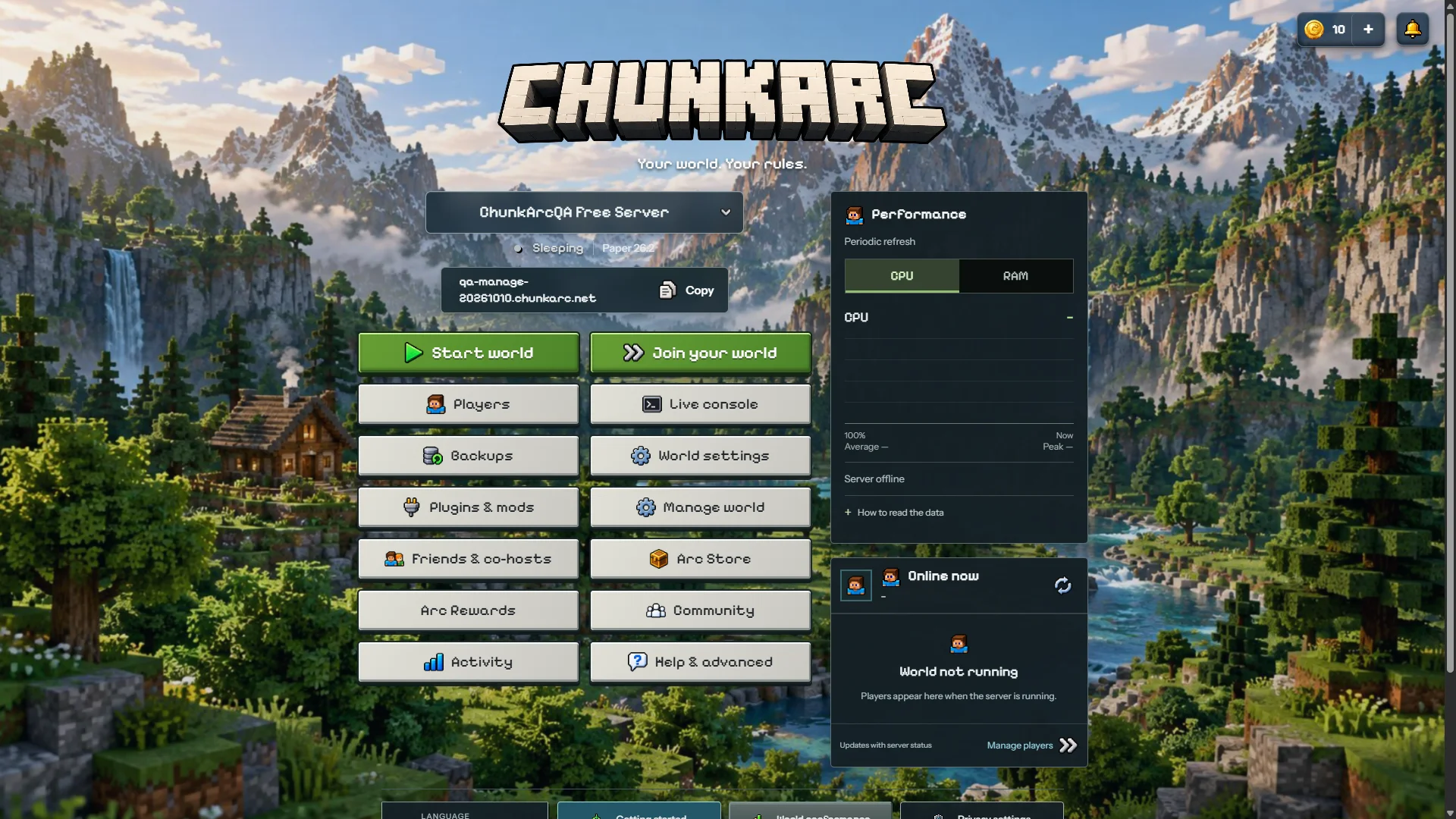
Offline QA serverOpen full preview
The familiar ChunkArc /manage experience, not a new dashboard you need to learn.
Real screenshots of offline QA servers (EN). Terraria shows a co-host view; controls depend on permissions. Click to enlarge.
ChunkArc Manage preview with demo data. Open the panel to manage your own server.
Start your world, share its address and change the essentials without getting lost in technical menus.
Share your server address with friends. Manage shows the player and access controls supported by your game and server software.
Plugins, console and a customer-managed backup are close at hand. Advanced controls stay available when you need them.
Example from an offline QA server (EN). Use the address and controls shown in your own panel.
Open ChunkArc Manage and use an available sign-in option. The Free Beta does not require payment details.
Choose Minecraft or Terraria, an available region and your address. Check the software and game version before creating the server.
Start the server, wait for it to be online and open the join instructions. Share the address and, when shown, the port with friends using a compatible game version.
Preview the controls before signing in, or follow the setup guide for your game. Players do not need your panel login to join.
For Minecraft Java, edit the MOTD with a preview and choose a server icon in Settings. Live CPU and RAM readings are shown when available. TPS, MSPT and player ping need a compatible data source; optional monitoring requires your consent and is not supported by every server type.
Terraria has its own controls for joining, creating or importing a world, and managing a compatible tModLoader pack or TShock setup. Minecraft-only controls are not shown for Terraria.
Invite a trusted co-host through Friends & co-host in Manage and choose only the permissions they need. Playing together does not require sharing panel access.
Connect Google Drive in Manage → Backups to save a copy of your server files. You can create one manually or enable a schedule every 6, 12 or 24 hours. Automatic copies start off. No fixed limit on the number of copies in your personal Google Drive, within your available storage and service limits.
Copies wait until the server is off and never stop players. The maximum is 5 GiB per copy; your Google storage and service transfer limits apply. ChunkArc can access only files used with this integration. Disconnecting leaves completed copies in your Drive.
Restore a verified copy with an explicit confirmation while the server is off. Optional retention keeps 3, 7 or 14 automatic copies, or all of them by default. Older automatic copies go to Google Trash, where they still use storage and are normally deleted after 30 days. Manual and previous ChunkArc copies are excluded.