
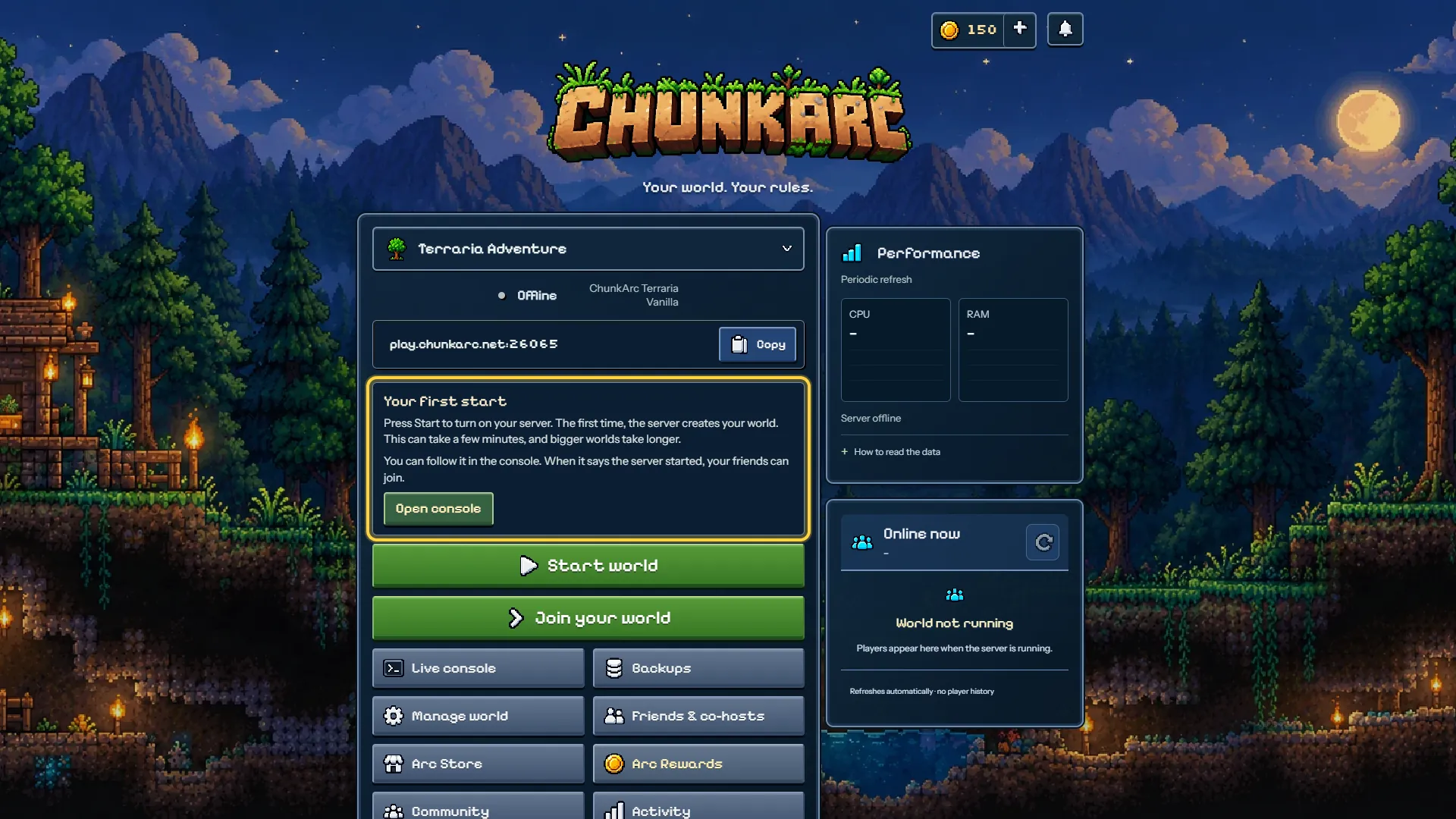
Start the world in ChunkArc Manage and press Live console. Scroll down to Quick commands and press a button, for example Who is online or Save world. The answer shows in the console.
Your first start
A new server shows the card Your first start on the home screen. Press Start world. The first time, the server creates your world. This can take a few minutes, and bigger worlds take longer. Press Open console to follow it. When the console says the server started, your friends can join.
Quick commands in the console
Press Live console on the home screen and scroll to Quick commands. The buttons work while the server is on.
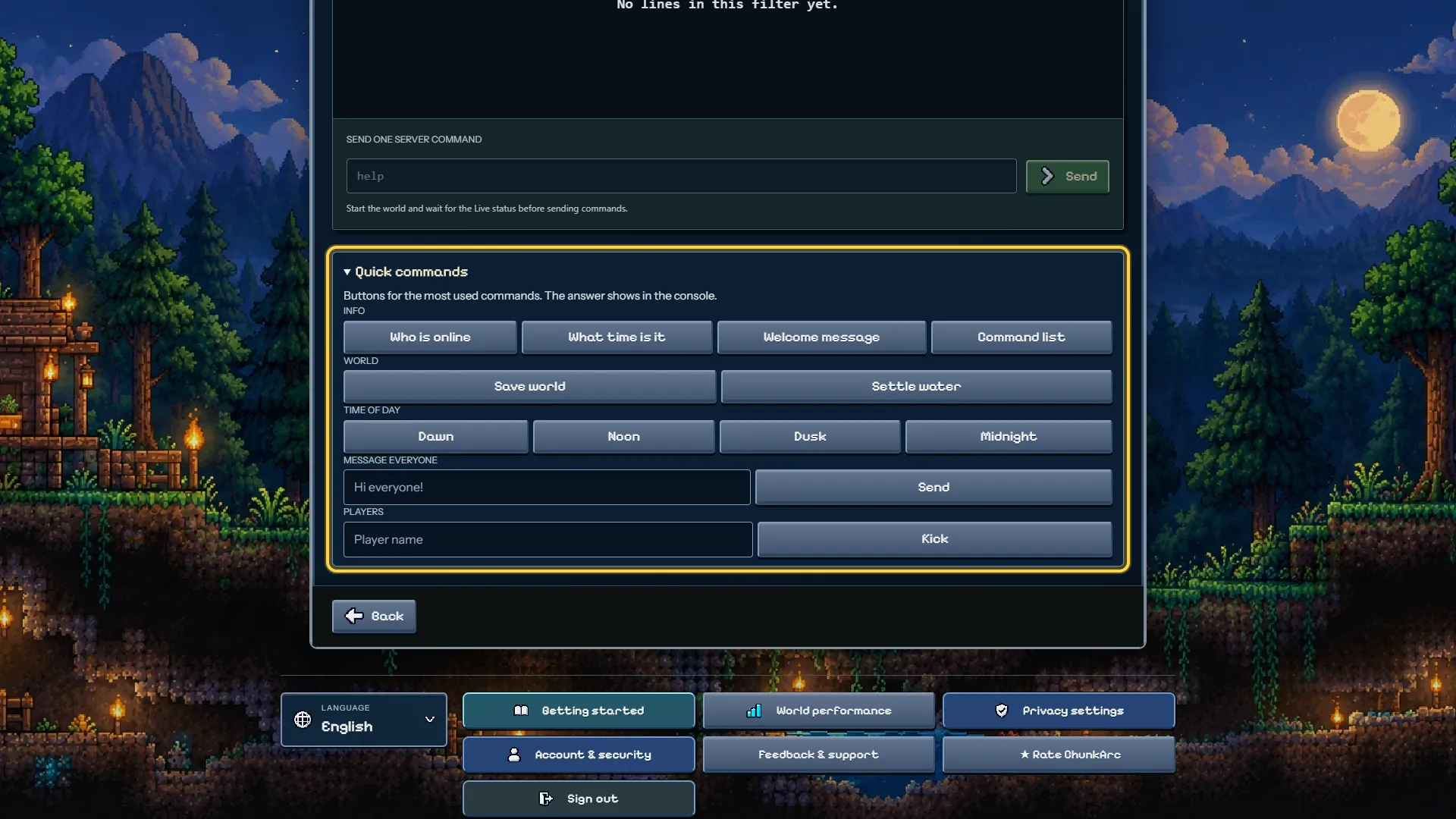
What each button sends
- Who is online:
playing - What time is it:
time - Welcome message:
motd - Command list:
help - Save world:
save - Settle water:
settle - Dawn, Noon, Dusk, Midnight:
dawn,noon,dusk,midnight - Send under Message everyone:
saywith your text - Kick and Ban:
kickandbanwith the player name
These are the vanilla Terraria commands, and tModLoader servers use the same ones. You can also type any of them in the command field above the buttons.
Kick and ban
Type the player name and press Kick or Ban. Manage asks you to confirm first. A kicked player can join again later. On vanilla Terraria a ban also blocks the player’s IP address, so others on the same internet connection may be blocked too. To undo a ban, edit banlist.txt in Files and remove the player.
More Terraria guides
- Friends cannot join? Read Terraria friends cannot join.
- Want mods? See install Terraria mods.
Common questions
Why are the buttons greyed out?
The server is off. Press Start world and wait until it is online.
Where do I see the answer to a command?
In the console, right above the buttons.
How do I unban a player?
On vanilla Terraria, edit banlist.txt in Files and remove the player.
Run your Terraria world from one screen
Start, console and quick commands in Manage.
Open Manage