


Start the world in ChunkArc Manage. In Terraria use Multiplayer, Join via IP, type the address without the port and then the port shown in Manage. If it still fails, read the Why can't my friends join? card on the home screen. It tells you if the server was full or the version did not match.
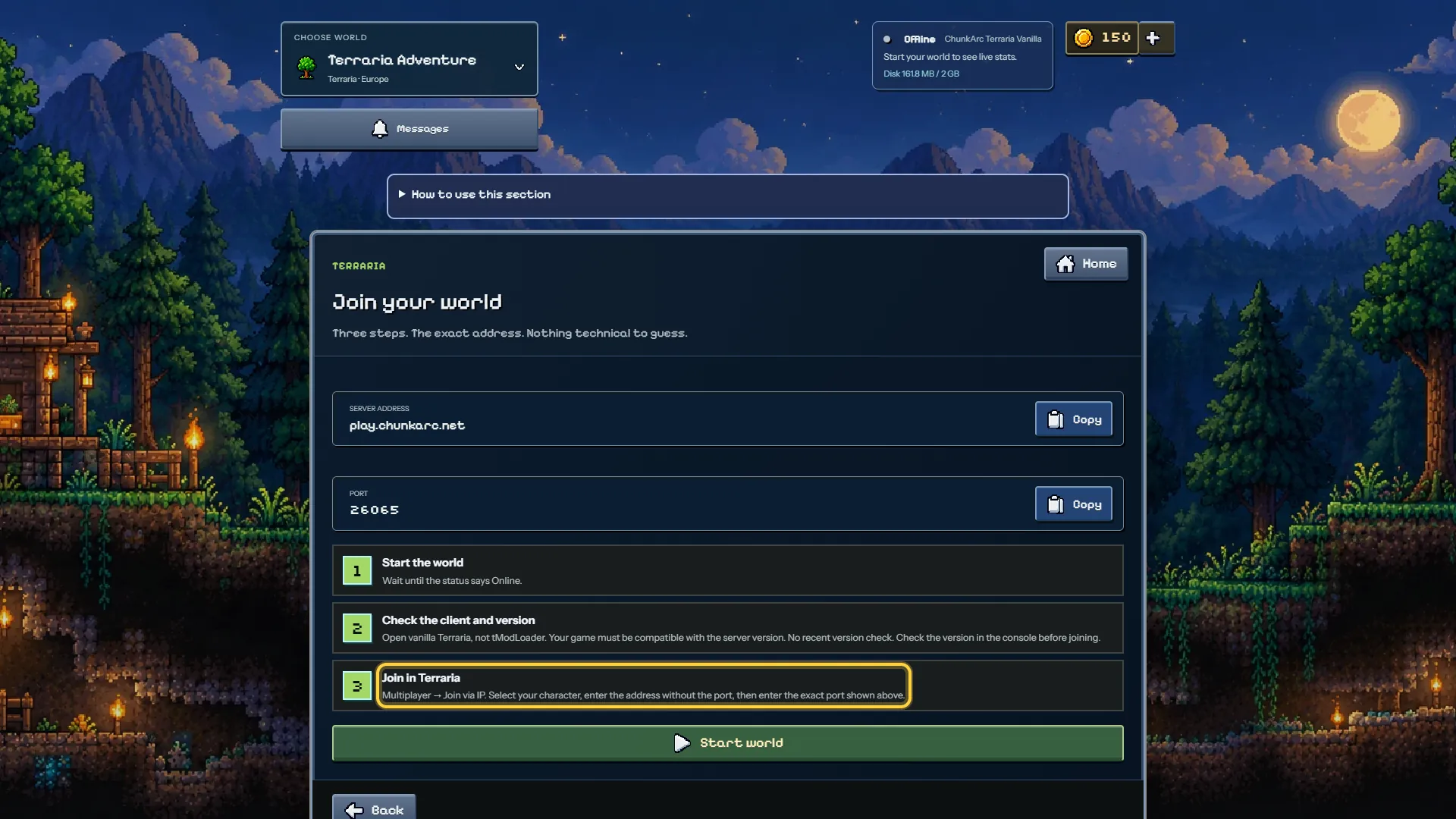
1. Join with the address and the port
- In Manage press Start world and wait for Online.
- Press Join your world and copy the Server address and the Port.
- In Terraria open Multiplayer, then Join via IP. Pick a character.
- Type the address without the port, then type the port.
Players on vanilla Terraria open the normal game, not tModLoader.
2. Read the card “Why can't my friends join?”
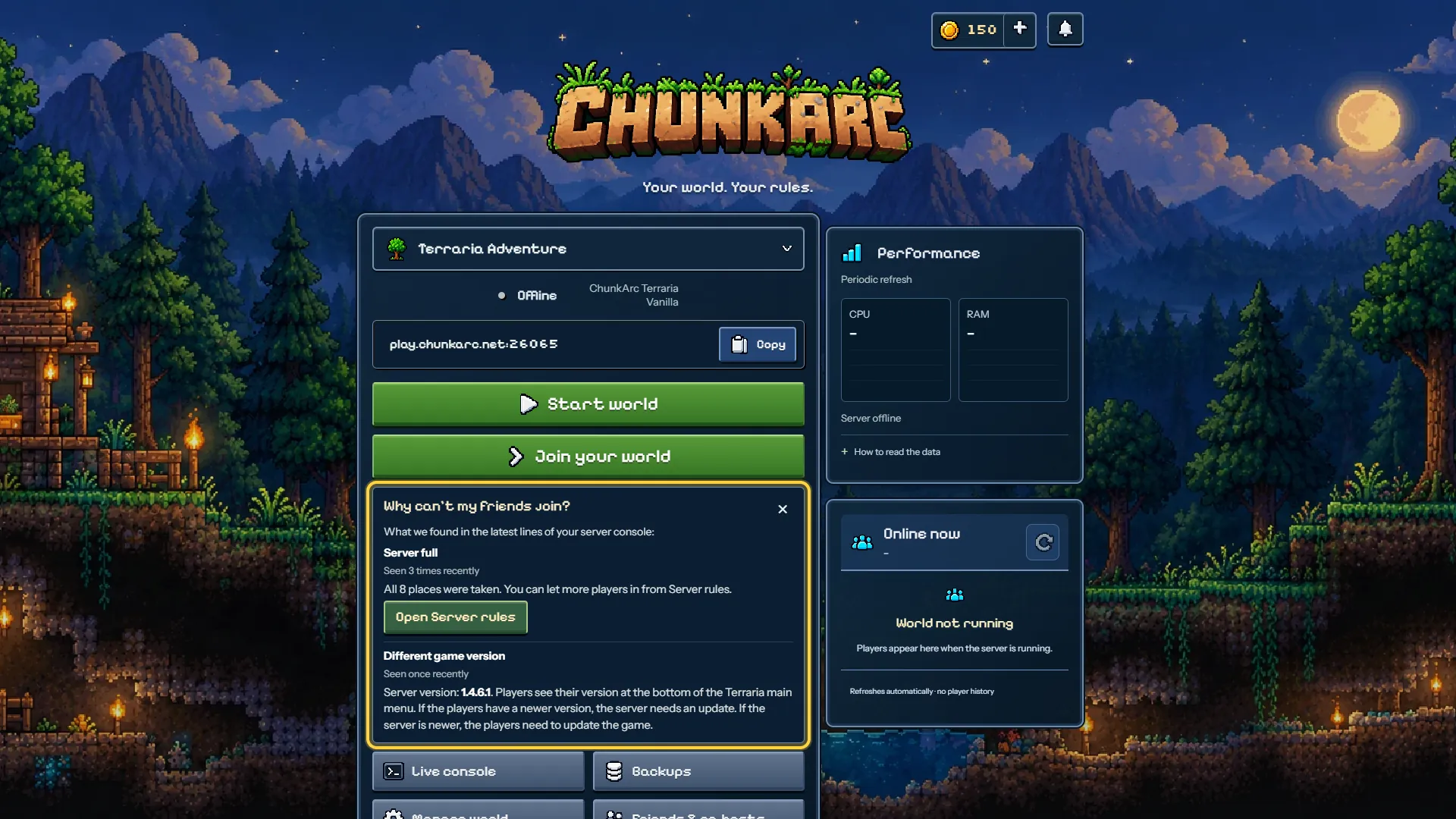
When players try to join and fail, Manage reads the latest lines of the server console and shows a card on the home screen. It names the problem and how often it happened, for example:
- Server full: all player slots were taken. Press Open Server rules to raise the limit.
- Different game version: the server and the players are on different Terraria versions. Players see their version at the bottom of the main menu.
3. Check the server rules
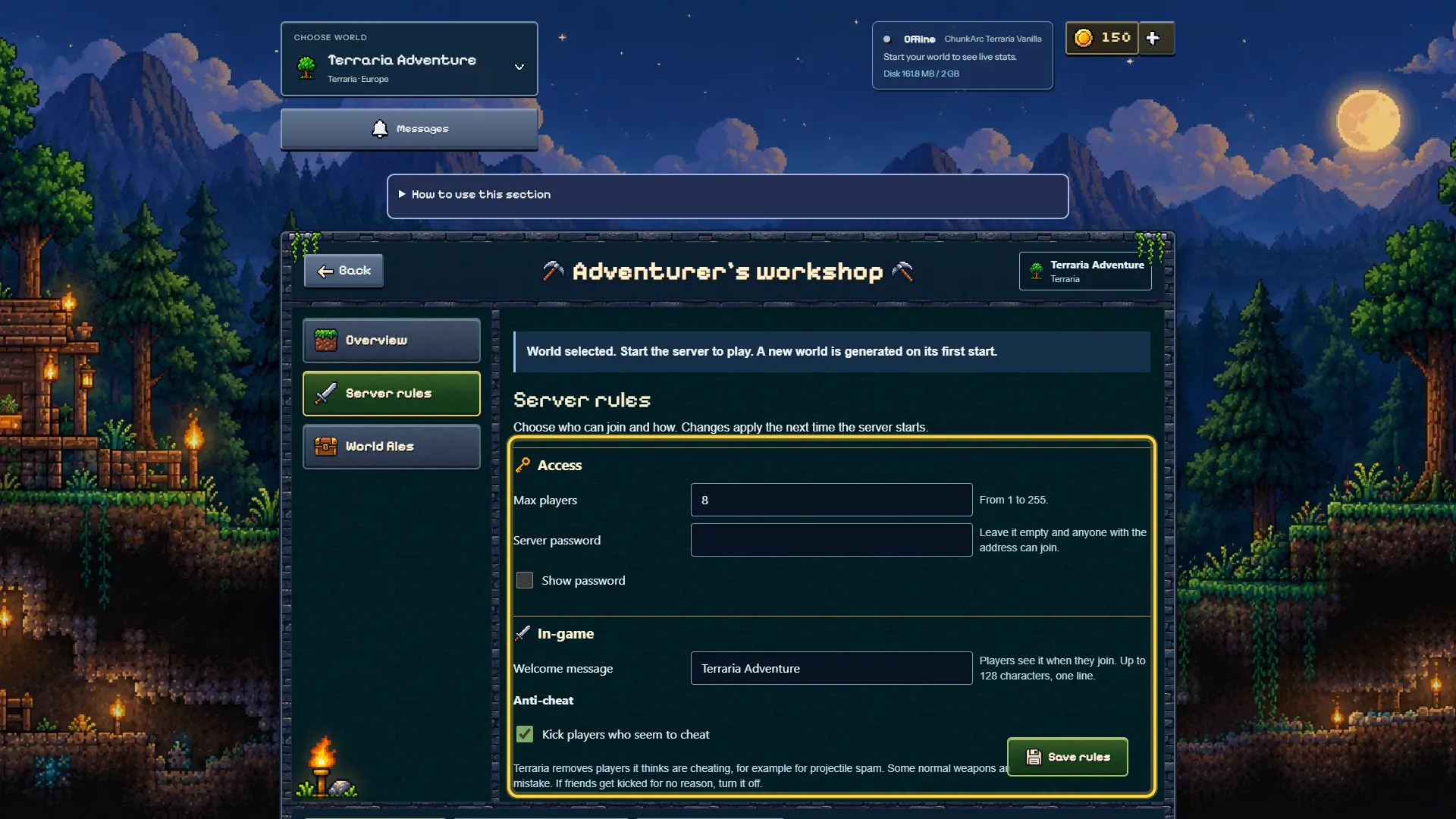
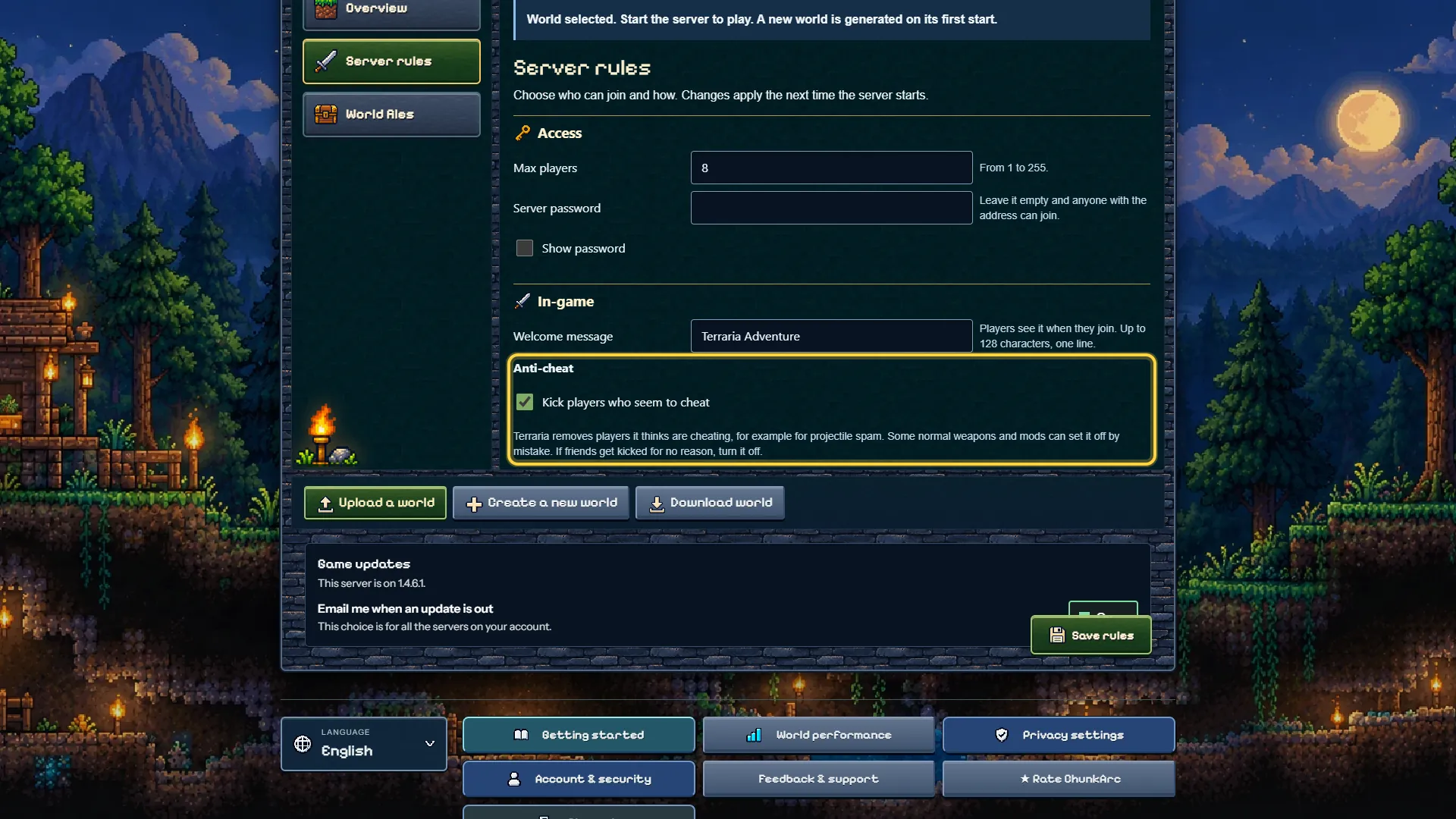
Open Manage world, then Server rules.
- Max players: 8 by default, from 1 to 255. A small group fits best in 2 GB.
- Server password: leave it empty and anyone with the address can join. If you set one, send it to your friends.
- Welcome message: players see it when they join.
Press Save rules. Changes apply the next time the server starts.
4. Friends kicked for no reason? Check the anti-cheat
On vanilla servers, Kick players who seem to cheat removes players Terraria thinks are cheating, for example for projectile spam. Some normal weapons can trigger it by mistake. If friends get kicked for no reason, untick it and press Save rules.
Still stuck?
- Playing with mods? Every player needs the same tModLoader mods. See install Terraria mods.
- New to Terraria servers? Start with create a Terraria server.
Common questions
How many players can join a Terraria server?
8 by default. You can raise it up to 255 in Server rules, but 2 GB of RAM suits a small group.
Play Terraria with your friends
Address, port, rules and anti-cheat in one place.
Open Manage