
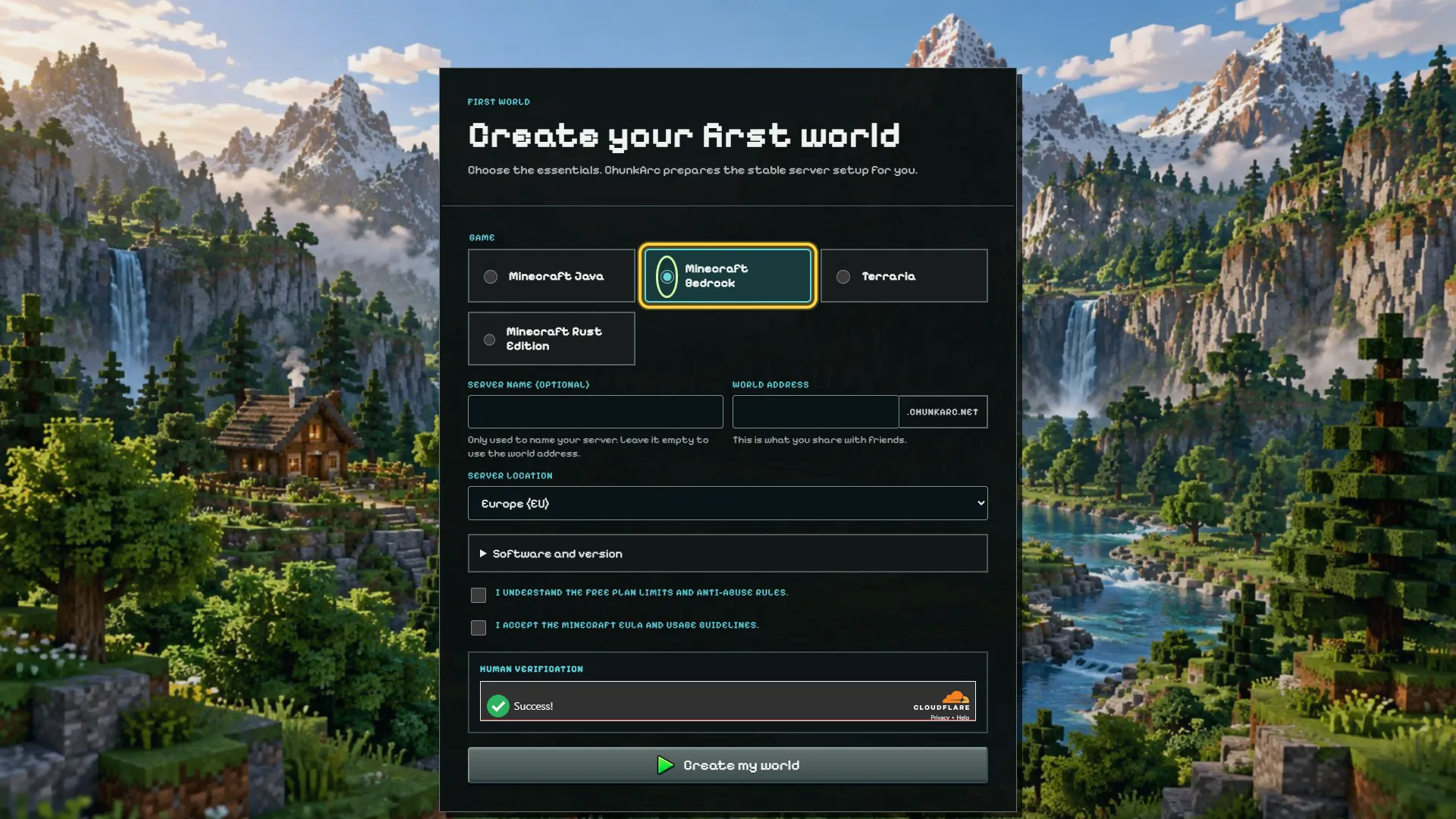
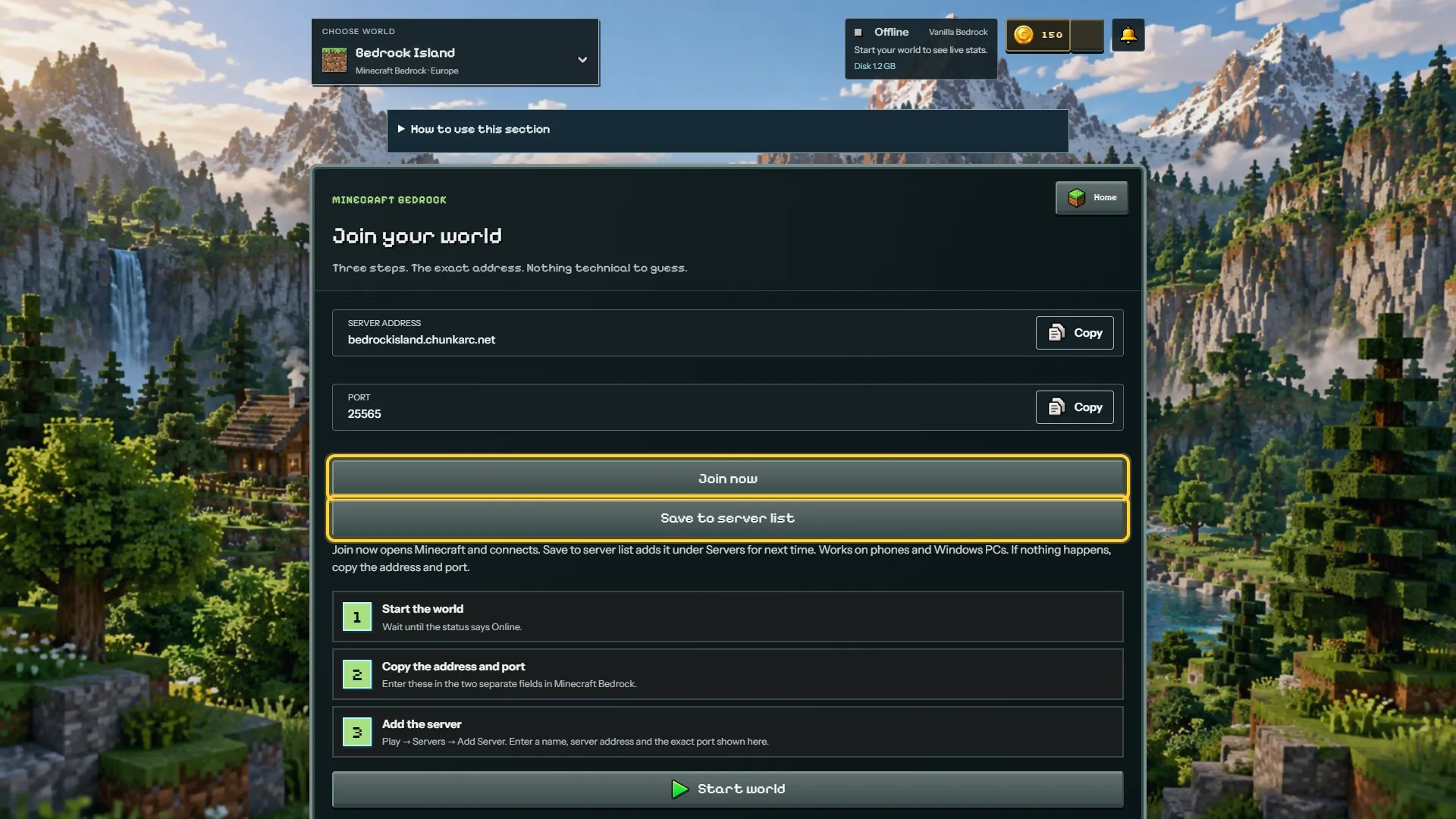
Open ChunkArc Manage, choose Minecraft Bedrock, pick an address and press Create my world. Press Start world, then Join your world. On a phone or Windows PC press Join now, or Save to server list to keep it under Servers.
What the free Bedrock server includes
- The official Bedrock Dedicated Server.
- 2 GB of RAM, 5 GB of storage and up to 20 players.
- Your own address and a port shown in Manage.
- Add-ons (.mcpack and .mcaddon) uploaded from Manage.
1. Create the Bedrock world
- Open ChunkArc Manage and sign in.
- Under Game, choose Minecraft Bedrock.
- Server name (optional) only names your server. Leave it empty to use the world address.
- Type the first part of the World address and pick a Server location.
- Tick the two boxes, wait for Human verification and press Create my world.
2. Start the world
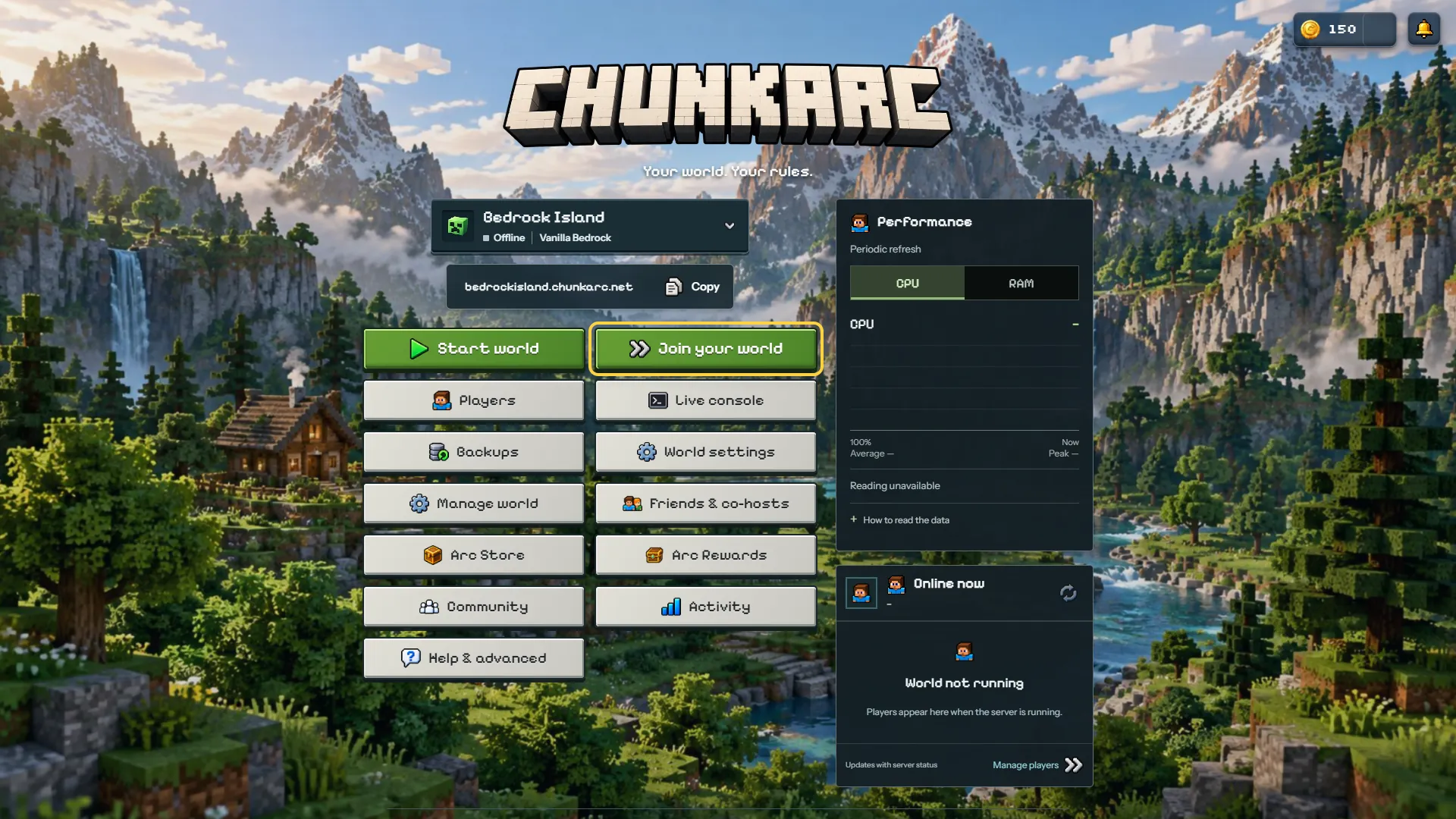
On the home screen press Start world and wait until the status says Online. Then press Join your world.
3. Join with one tap
- Join now opens Minecraft and connects to your world.
- Save to server list adds the world under Servers for next time.
Both work on phones and Windows PCs. If nothing happens, add it by hand: in Minecraft open Play, then Servers, then Add Server. Type a name, the server address and the exact port shown in Manage.
What about consoles?
Xbox, PlayStation and Switch do not let you add your own server address in the Servers tab without extra steps. The easy way is a phone, a tablet or a Windows PC.
Friends on Java Edition
Java players cannot join a Bedrock server. If your group mixes Java and Bedrock, create a Java server and turn on Bedrock players. Follow the Geyser guide.
When the server is asleep
After about 15 minutes with nobody online, the server stops. Open Manage and press Start world before you play again.
Common questions
Is Bedrock the same as Pocket Edition?
Yes. Minecraft on phones, tablets, Windows and consoles is Bedrock Edition.
Why does Bedrock need a port?
Bedrock asks for the address and the port in two separate fields. Manage shows both with a Copy button.
Can I add add-ons?
Yes. Upload .mcpack or .mcaddon files in Manage world.
Create your Bedrock world
Join now and Save to server list are ready on the Join screen.
Create a free server