
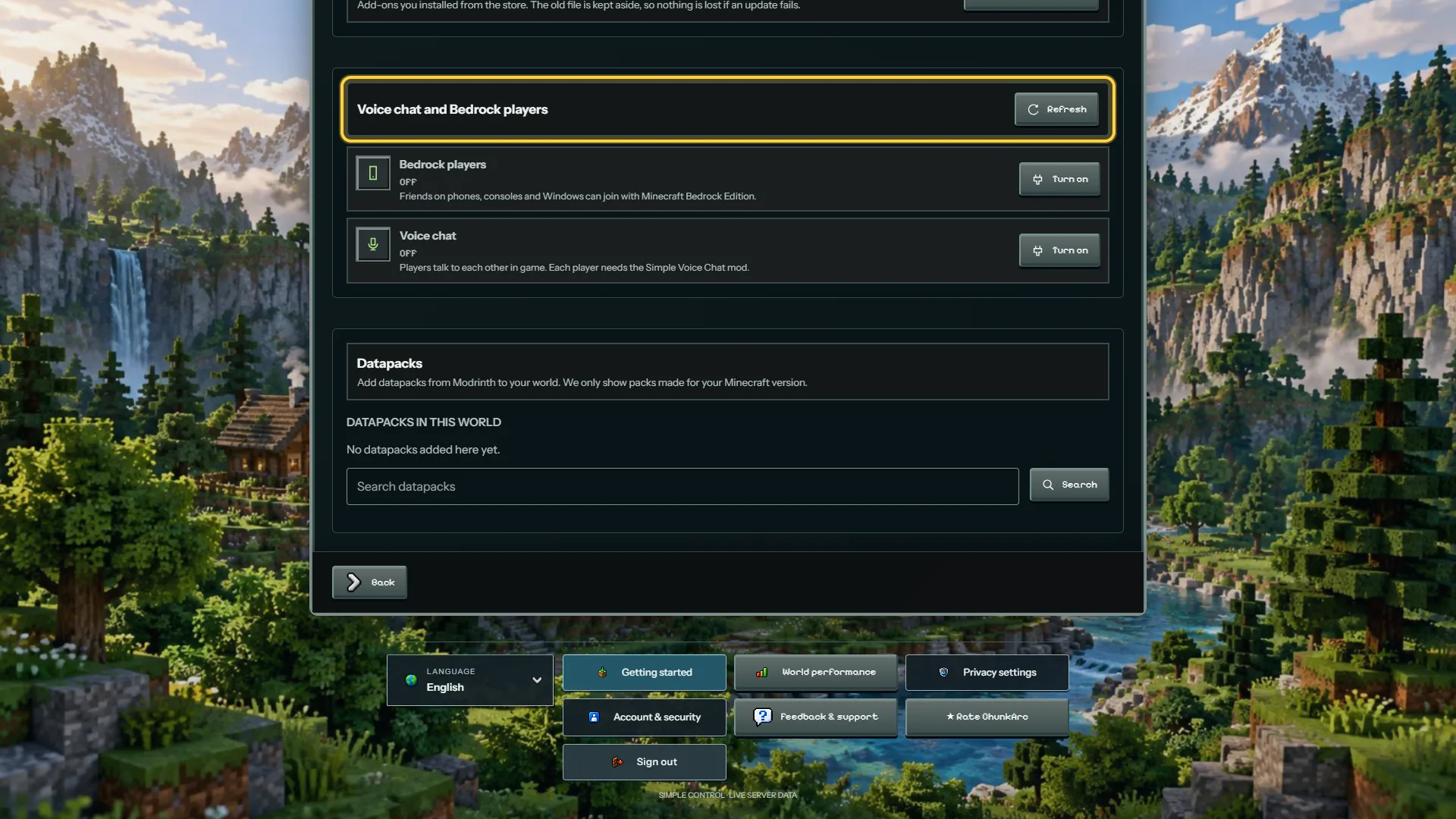
Open ChunkArc Manage, go to Plugins & mods and find Voice chat and Bedrock players. Next to Bedrock players press Turn on. When it says Ready, start the server and give Bedrock friends the address and port shown in the card.
How it works
Geyser translates between Bedrock and Java, so both editions play in the same world. Floodgate lets Bedrock players join without a Java account. Manage installs and sets up both for you.
1. Turn on Bedrock players
- On the home screen of your Java world, press Plugins & mods.
- Scroll to Voice chat and Bedrock players.
- Next to Bedrock players, press Turn on.
2. Give Bedrock friends the address and port
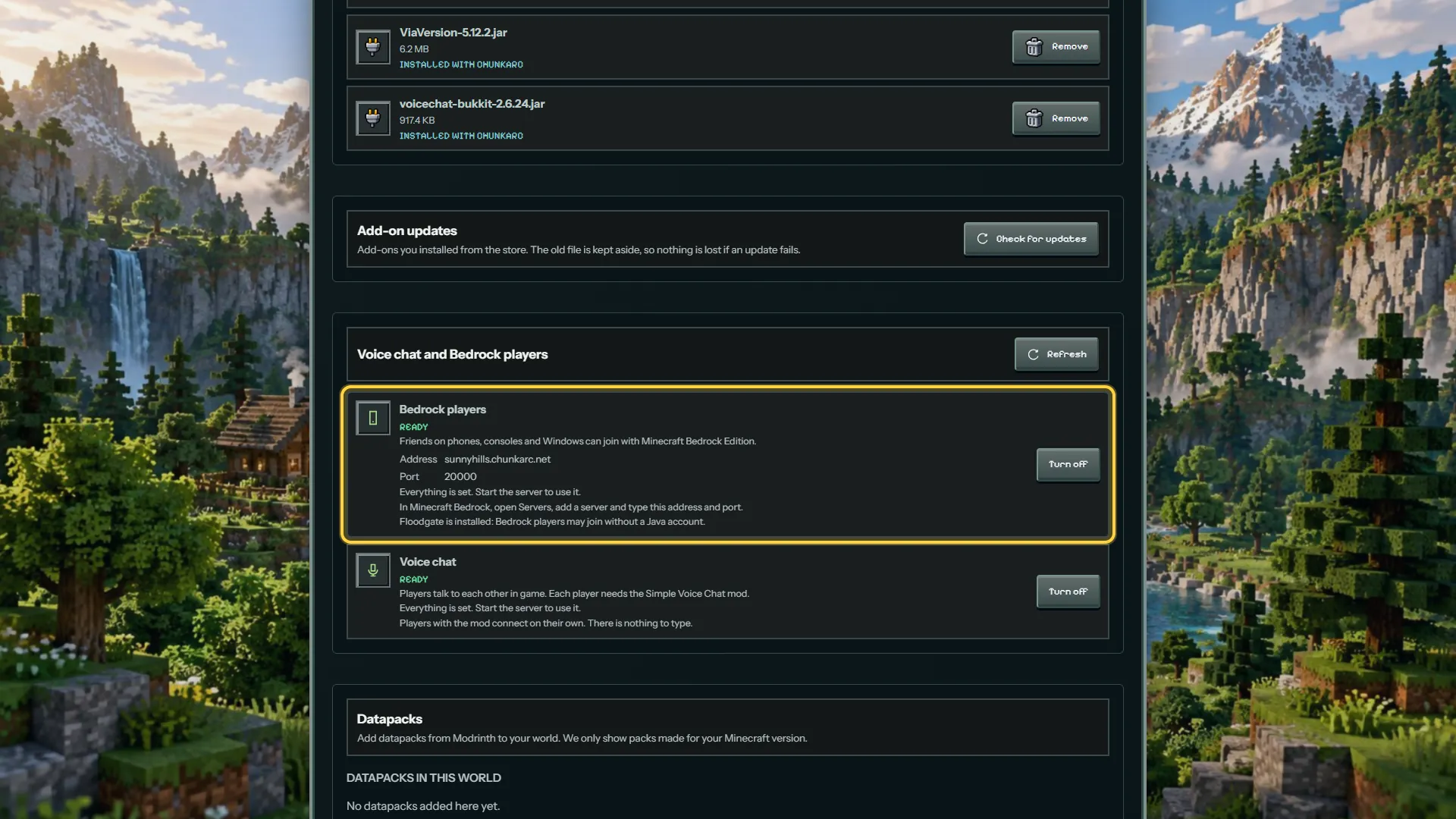
When the status shows Ready, the card lists the Address and the Port. Start the server. Bedrock friends open Servers in Minecraft, add a server and type that address and port. Java friends keep using the normal address.
Keep Geyser up to date
Bedrock updates often. When a new Geyser is out, Manage shows an Update Geyser button in the same card. Press it, then restart the server.
Voice chat in the same card
Next to Voice chat press Turn on to add Simple Voice Chat. Each player still installs the Simple Voice Chat mod in their own game.
Whitelist and Bedrock names
If invite-only access is on, add Bedrock friends by Gamertag in Players, Manage list → Allowed players.
Common questions
Do Bedrock players need a Java account?
No. Floodgate is installed, so Bedrock players can join without one.
My Bedrock friend cannot connect. What do I check?
Make sure the server is Online, the card says Ready and they typed the port from the card, not the Java address alone.
Play together across editions
Geyser and Floodgate with one button, updates with another.
Open Manage