

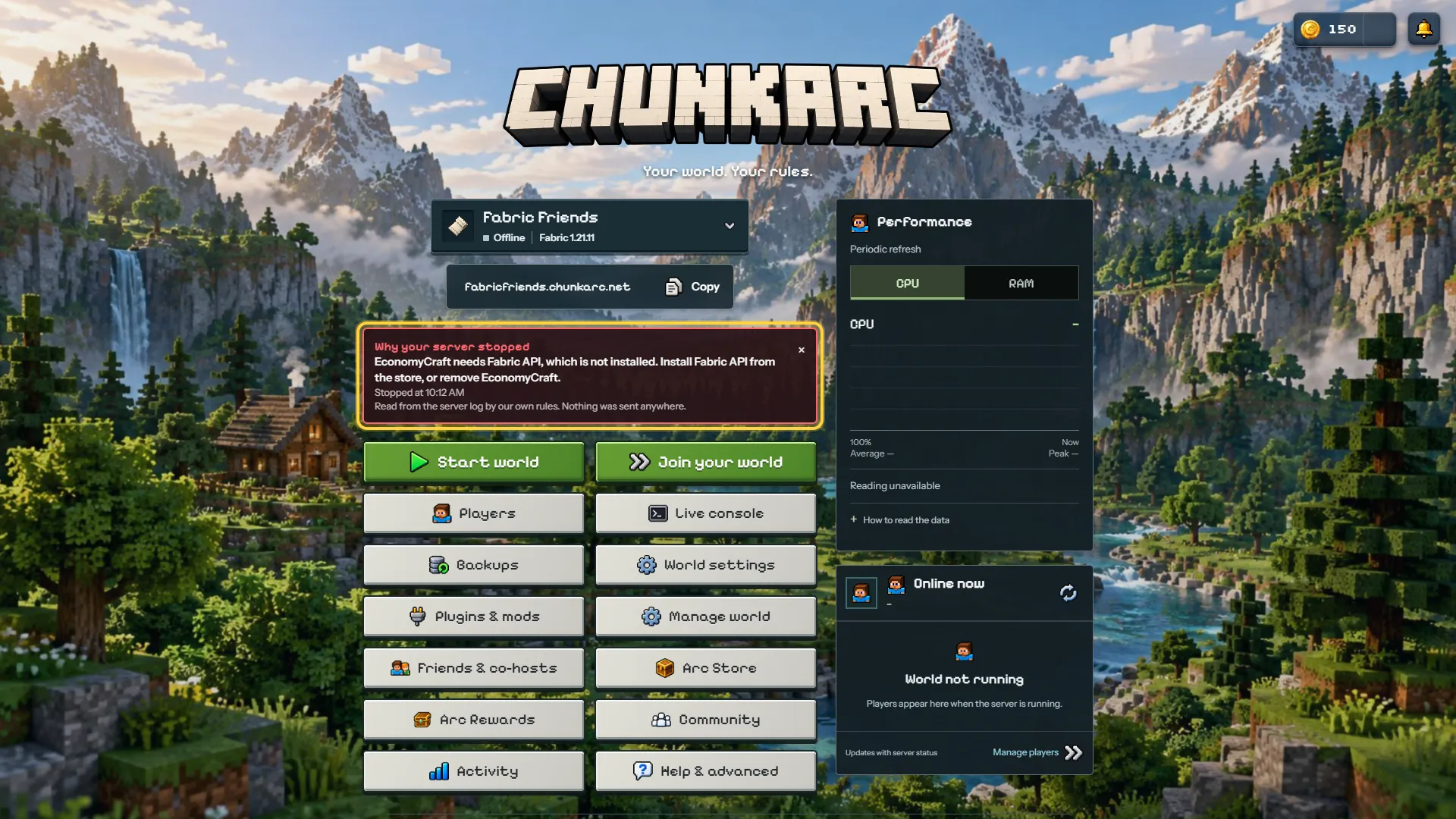
Open ChunkArc Manage and look at the home screen of your world. If the server stopped after a crash, the red card Why your server stopped names the cause and the fix. Do what it says, then press Start world.
1. Read the card on the home screen
The card appears above Start world while the server is off after a crash. It names the mod or plugin when the log shows it. The log is read on our side with our own rules: nothing is sent anywhere else. Press Hide once you have dealt with it.
2. The most common causes
- A missing mod or library: install it from the store, or remove the mod that needs it.
- A mod for another Minecraft version: install the build made for your version.
- Two mods that do not work together: remove one of them.
- A mod that only works in the game: some mods are client-only. Keep them in your own game and remove them from the server.
- Out of memory: remove a heavy mod or plugin, or lower the view distance in the server settings.
- A world from a newer version: move the server to that version, or restore a backup.
- A mistake in a config file: undo your last change.
3. Start again
Fix what the card says, then press Start world. If it crashes again right after you added something, remove that first. If the card says it could not tell the cause, open Live console and read the last lines, or ask the Companion in Manage.
More help
- Plugin errors on Paper: plugin not loading.
- Mods and Fabric problems: modded server not working.
- Keep a copy before big changes: backups to Google Drive.
Common questions
Is my log sent to an AI or another company?
No. The cause is found on our side with fixed rules. Nothing is sent anywhere.
The card is gone. Where can I see the error?
The card only shows while the server is off after a crash. Open Live console to read the last lines.
What if the world itself is the problem?
If some world files cannot be read, the card says so and tells you to restore a backup from the Backups screen.
Get your server running again
The cause in plain words, right on the home screen.
Open Manage