

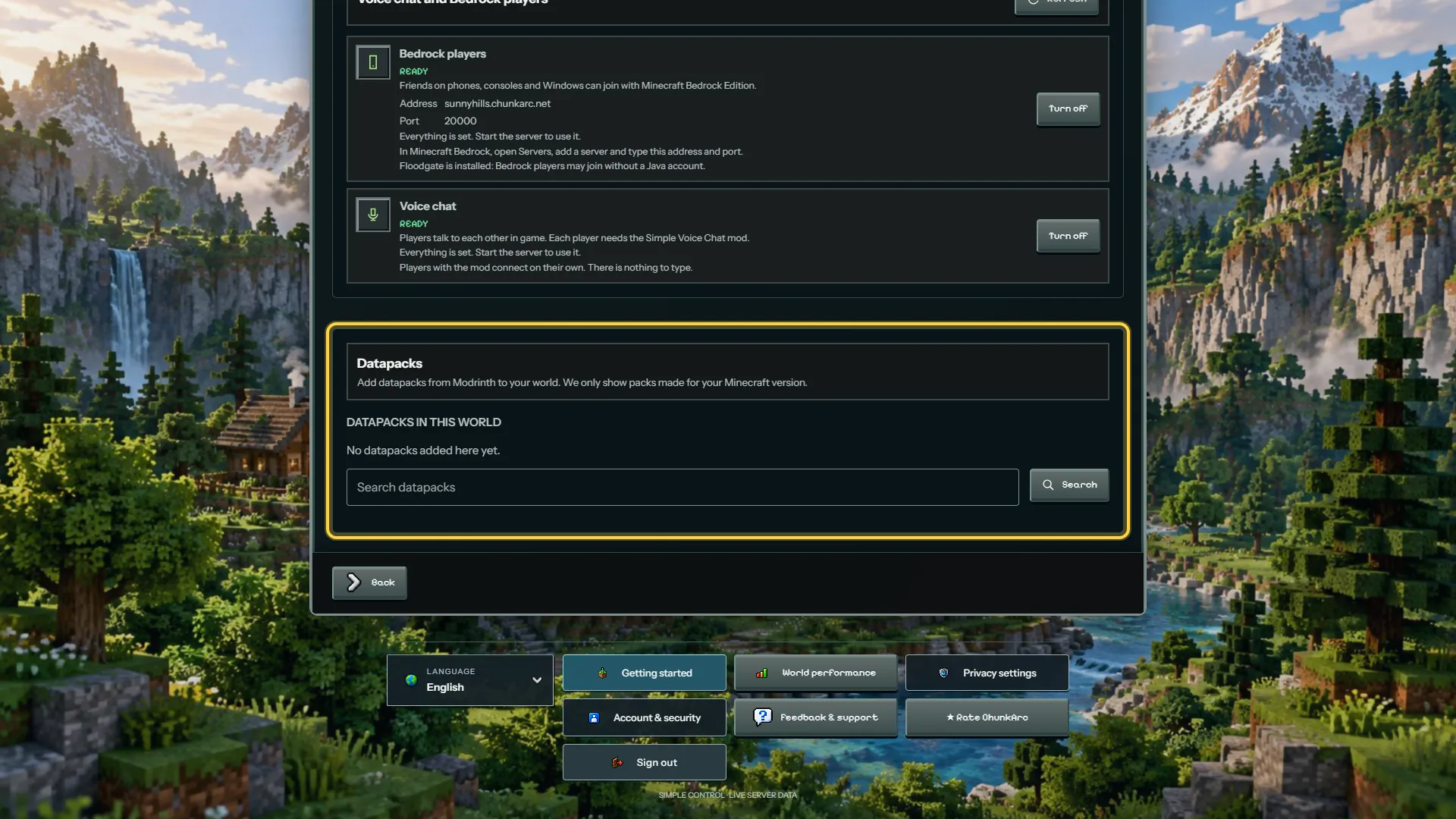
Start the server once so it has a world. Open ChunkArc Manage, press Plugins & mods and scroll to Datapacks. Type a name, press Search and press Add on the pack you want. Restart the server and the pack is on.
Datapacks, plugins and mods
A datapack lives inside the world folder and uses only what vanilla Minecraft already knows. It can add recipes, change loot tables, add advancements or reshape terrain. Players do not install anything: they join as usual.
Plugins need Paper, Purpur or Folia. Mods need Fabric. Datapacks work on all of them, as long as the pack is made for your Minecraft version.
1. Open the Datapacks card
- If the server is new, press Start world once and wait until it is online. The world has to exist before you can add packs to it.
- On the home screen, press Plugins & mods.
- Scroll down to Datapacks.
2. Search and add a pack
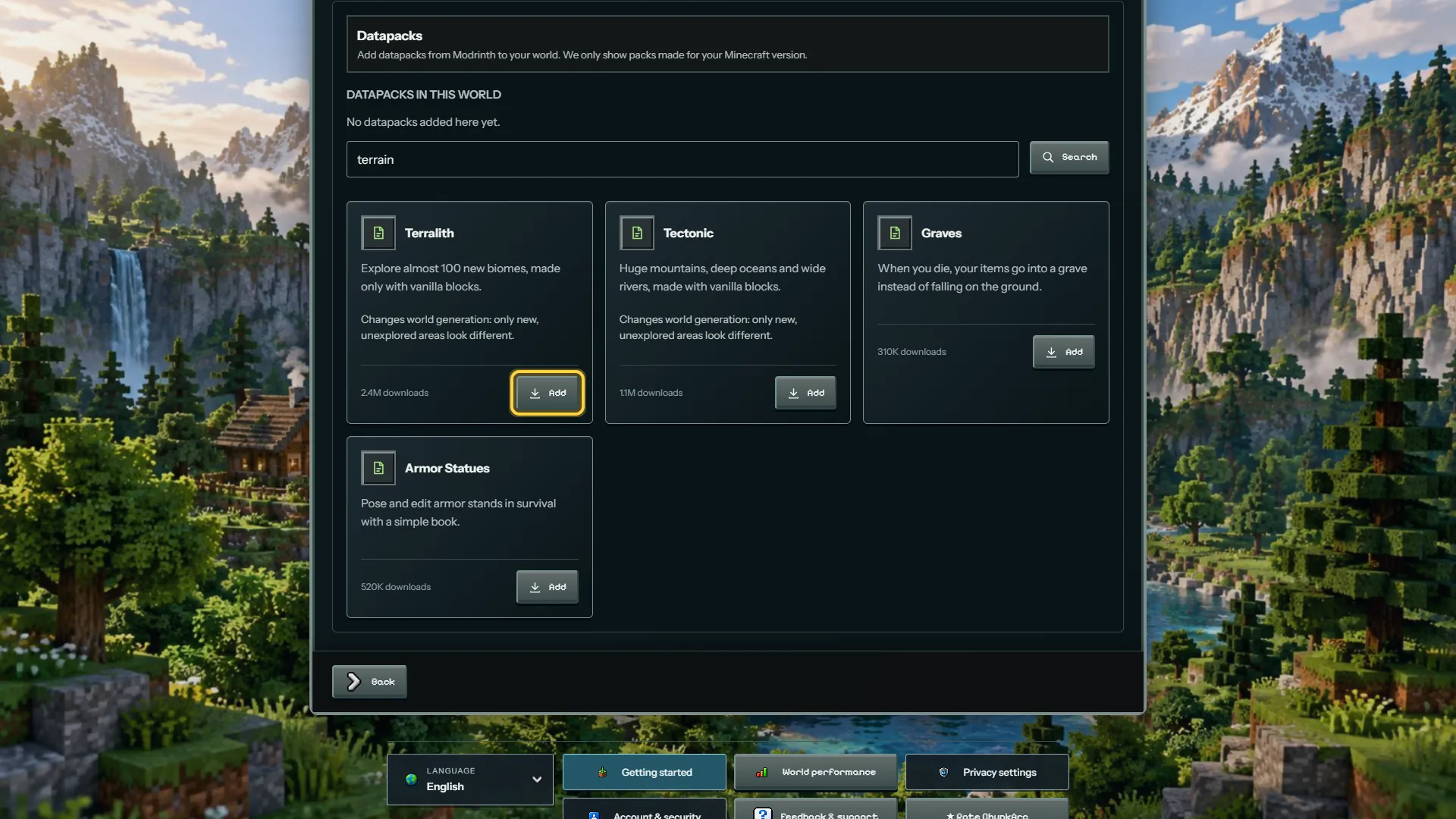
- Type what you are looking for in Search datapacks, for example
terrain, and press Search. - Read the short description. Manage only lists packs that have a build for your Minecraft version.
- Press Add.
- Restart the server. The pack turns on when the world starts again.
Some results say Changes world generation. Those packs only affect land that nobody has explored yet. Your builds and the areas you already visited stay as they are.
3. Update or remove a pack
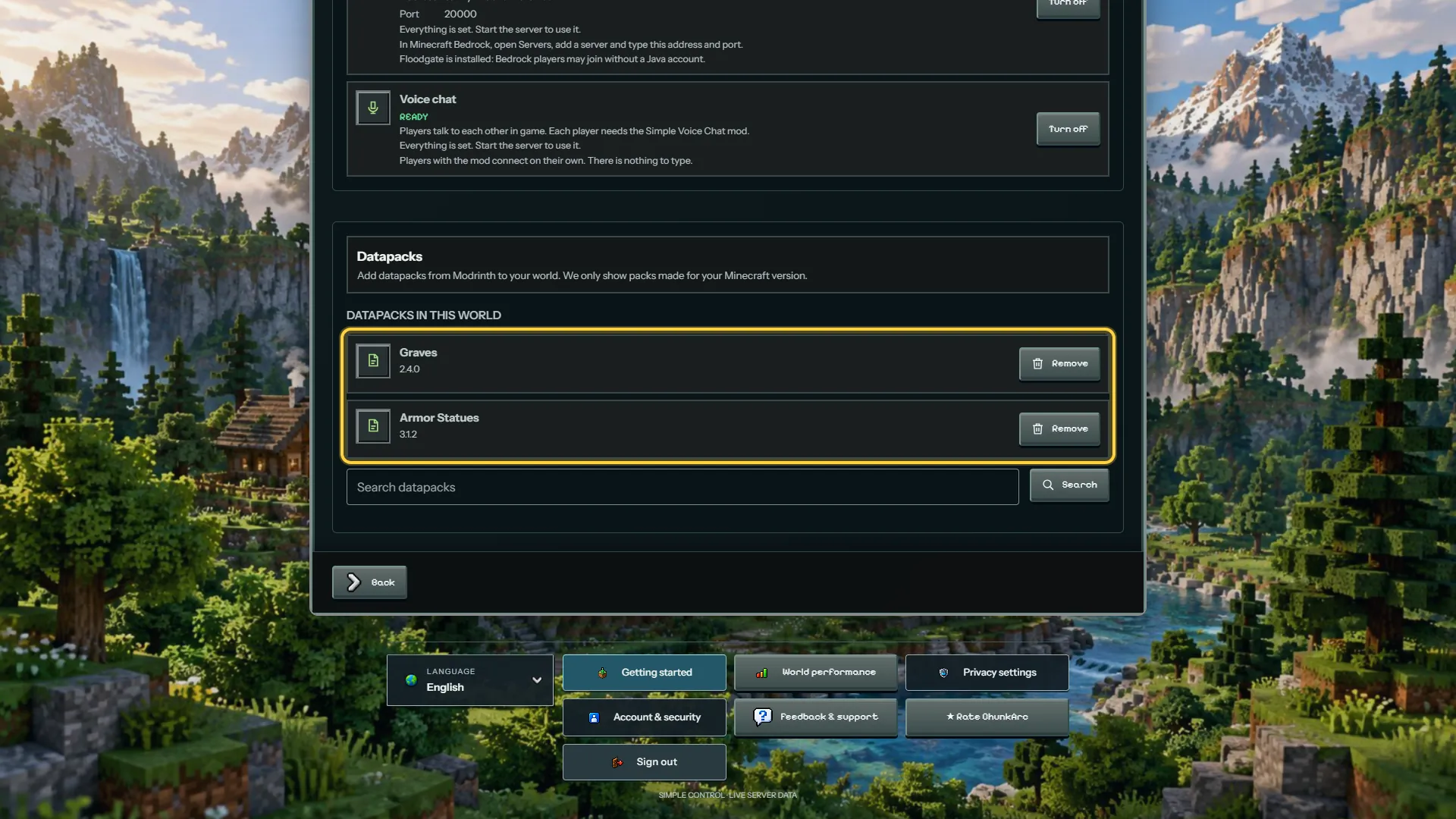
Your packs are listed under Datapacks in this world. To remove one, press Remove and restart the server. The file is not deleted: it goes to the hidden folder .chunkarc-datapack-removed, which you can empty in Files.
To update a pack, search for it again. Its button now says Update.
Good to know
- A world can hold up to 50 datapacks.
- Removing a terrain pack does not undo the land it already made.
- If a search shows nothing, the pack has no build for your Minecraft version yet.
Common questions
Do my friends need to download the datapack?
No. Datapacks run on the server. Players join as usual.
Do datapacks work on Fabric servers?
Yes. Datapacks are part of vanilla Minecraft, so they work on Paper, Purpur, Folia, Fabric, Forge and NeoForge.
The pack does nothing after I added it. Why?
It turns on at the next start. Stop the server, start it again and check once more.
Give your world something new
Search Modrinth from Manage and add datapacks with one button.
Open Manage