
Use a Fabric server. Stop it, open ChunkArc Manage, go to Plugins & mods and find Modpacks. Search a pack, press Check, read the result and press Install. Manage starts the server once to test the pack.
Before you start
- Modpacks are installed on Fabric servers. Pick Fabric when you create the world, or switch with Change software in Manage world.
- The free server has 2 GB of RAM. Light packs work best. Big packs with hundreds of mods may not fit.
- Every player needs the same modpack in their own launcher, for example the Modrinth App.
1. Search a pack
- Stop the server. You install or undo a modpack while it is off.
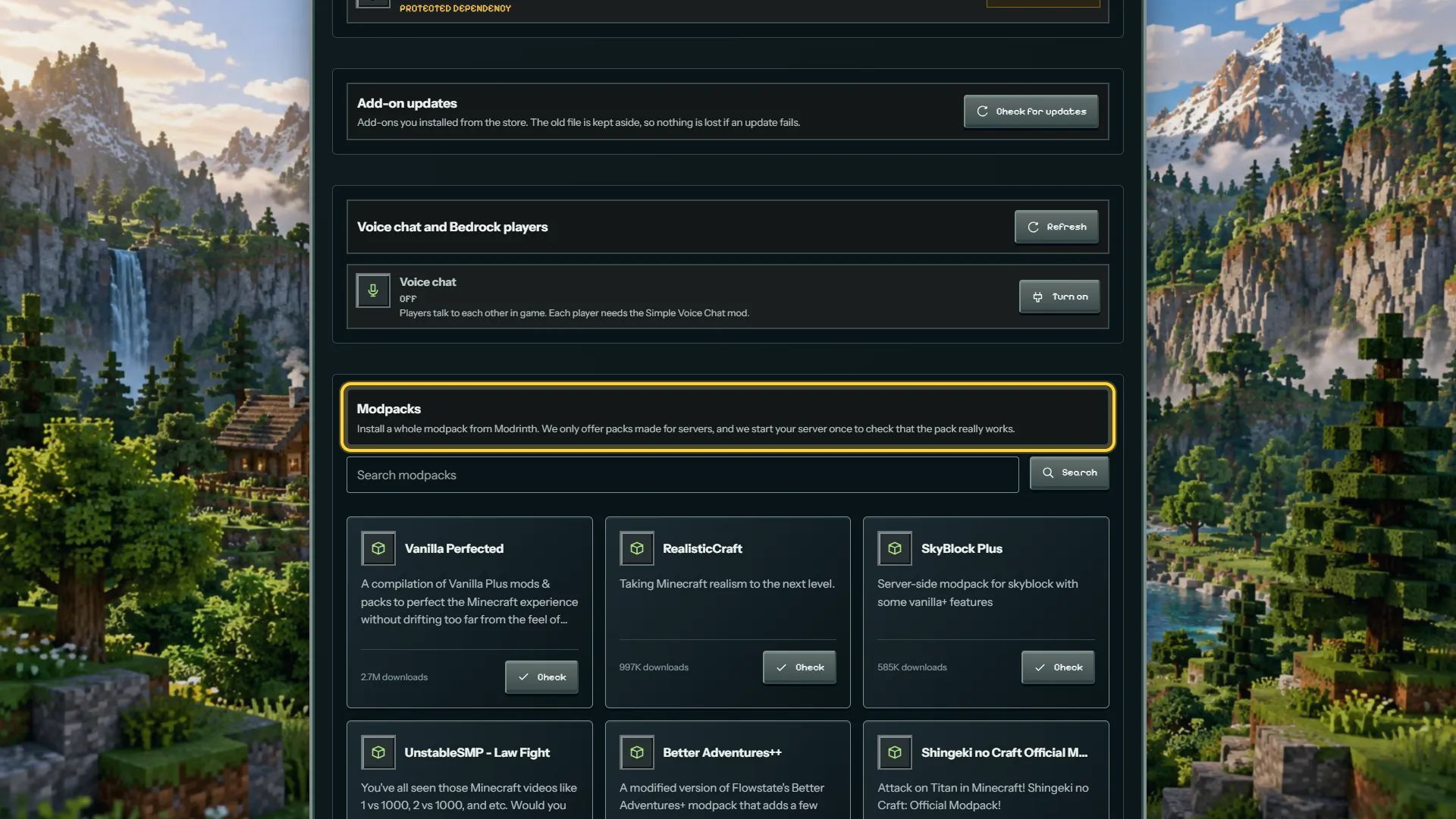
- On the home screen press Plugins & mods and scroll to Modpacks.
- Type a name in Search modpacks and press Search. Manage only lists packs made for servers.
2. Check, then install
- Press Check on a pack. Manage shows if it fits this server, the mods for the server, the mods only for players and the download size.
- Choose if you want to start a new world. Your current world is kept aside.
- Press Install. Your current mods and settings are kept aside too.
Manage downloads the mods, copies the pack settings and starts the server once to test it. When it says the pack is installed and the server started fine, you can play.
If the pack does not work
If the server does not start, Manage puts your old files back by itself and tells you why, for example a mod that needs more memory. You can also press Undo modpack at any time with the server stopped. Your old mods, settings and world come back.
Only a few mods?
For single mods, follow add mods to a Minecraft server. If a modded server will not start, read modded server not working.
Common questions
Which modpacks can I install?
Modrinth packs made for servers that fit your Minecraft version and the 2 GB of RAM.
Do my friends need the modpack too?
Yes. Everyone installs the same pack in their launcher before joining.
Will I lose my world?
No. If you start a new world, the current one is kept aside. Undo modpack brings it back.
Play your favourite modpack
Search, check and install from Manage. Undo is one button away.
Open Manage