
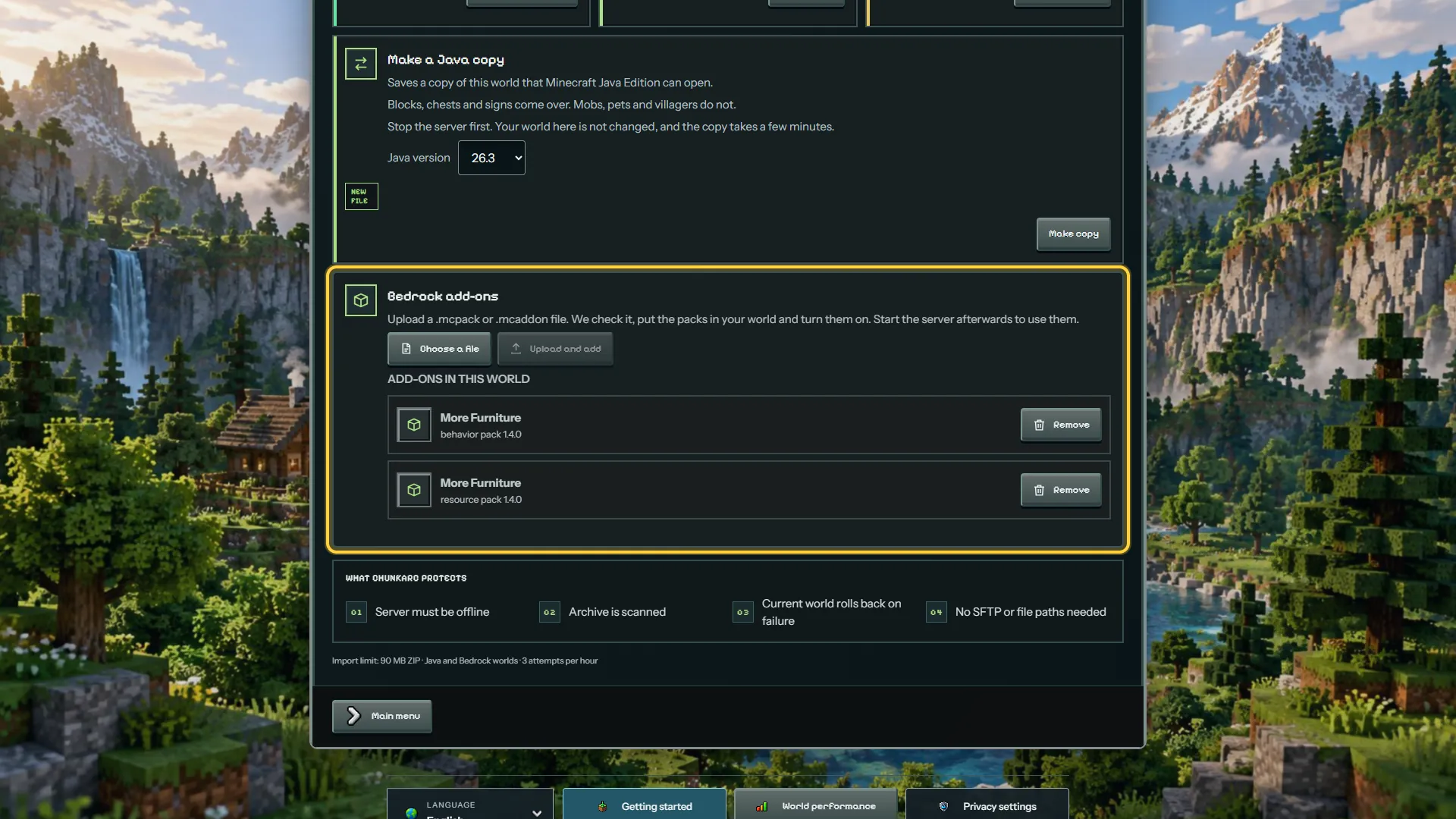
Stop the server. Open ChunkArc Manage, press Manage world and scroll to Bedrock add-ons. Press Choose a file, pick your .mcpack or .mcaddon file and press Upload and add. Start the server again to use the add-on.
Before you start
- Download the add-on from its author. You need the
.mcpackor.mcaddonfile. - Start the server once if it is new, so the world exists. Then stop it.
- The file can be up to 60 MB, with up to 12 packs inside.
1. Upload the add-on
- On the home screen of your world, press Manage world.
- Scroll to the end of the page, to Bedrock add-ons.
- Press Choose a file and pick the file on your device.
- Press Upload and add. Manage checks the file and turns on every pack it finds.
- Press Start world. The add-on is active for everyone who joins.
Players do not need to install anything first. If the add-on has a resource pack, the game offers to download it when they join.
2. Remove an add-on
Stop the server and press Remove next to the pack under Add-ons in this world. The files go to the hidden folder .chunkarc-addon-removed, which you can delete in Files.
If the upload is refused
- Skin packs only work on the players’ devices, not on a server.
- A world template is a whole world. Upload it with Import a world instead.
- If a pack needs another pack, upload that one too.
- Some add-ons use experimental features (Beta APIs). They only work in a world created with Beta APIs turned on.
- A world can hold up to 40 add-ons. Remove some before you add more.
Common questions
Do players need to download the add-on?
Not before joining. If the add-on has a resource pack, the game offers it when they join the server.
Why are the buttons disabled?
Add-ons can only be added or removed while the server is stopped. Stop it and try again.
Can I use add-ons on a Java server?
No. Add-ons are for Bedrock. On Java, use plugins, mods or datapacks.
Add your favourite add-ons
Upload the file, Manage does the rest.
Open Manage