
Terraria mods: browse Workshop from Manage
Find tModLoader mods, review a change before applying it, and manage your installed mods and JSON configurations without leaving the panel.
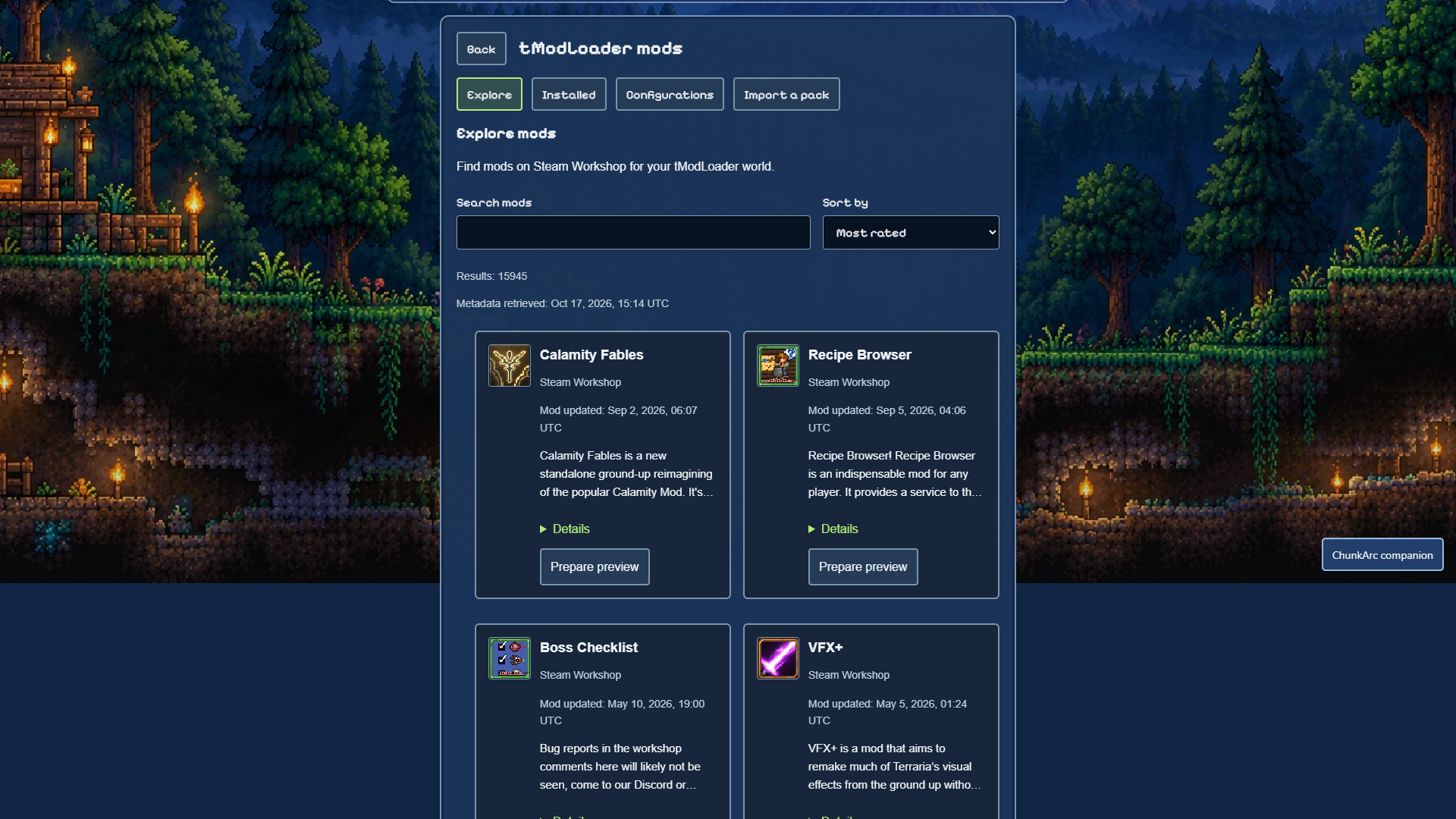
How to install a mod
- Open Manage, choose your Terraria server running tModLoader, then open Plugins & mods. This catalog is not available for Vanilla or TShock.
- Choose Explore. Search Steam Workshop, change the sort order and open Details to inspect a mod. A search result is not a compatibility guarantee.
- Stop the server before applying changes. Select Prepare preview, read the proposed files, dependencies and warnings, then explicitly confirm if you want to continue. Nothing is installed just by browsing.
- Wait for the operation to finish and check its result. Start the server yourself when ready. Use a compatible tModLoader version and mod set in your game; check the mod author’s instructions.
What else is included?
- Installed: review your mods and prepare enable, disable or removal changes. Updates are available only when the installed mod has a verified Workshop origin.
- Configurations: read and edit existing JSON files up to 1 MiB. Review and confirm an edit before applying it; this is not a general file manager.
- Import a pack: the ZIP import remains available when you already have a mod pack. Upload and storage limits still apply.
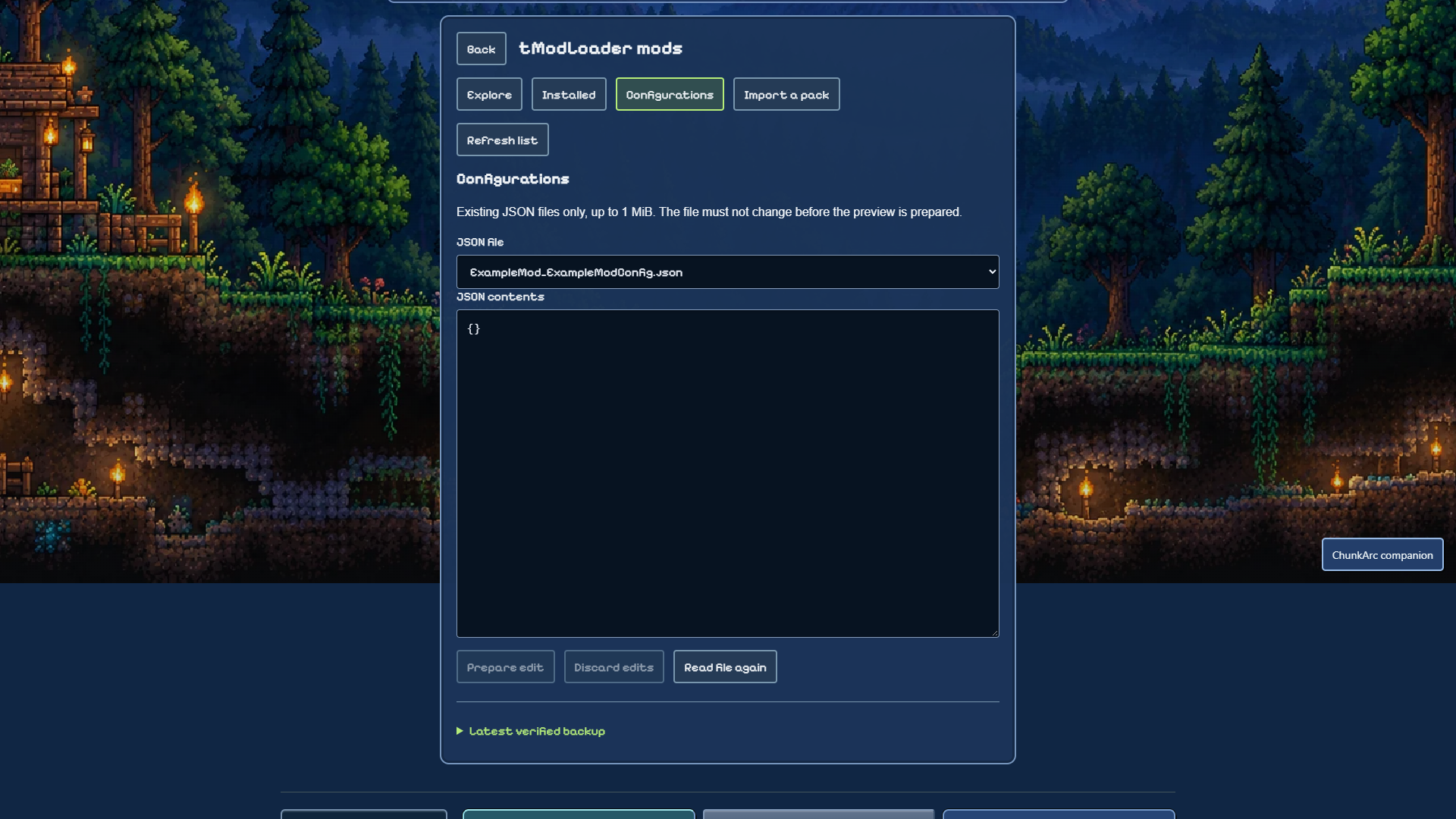
Before you change your world
- The change workflow includes backup and malware checks, but no scan or catalog can guarantee that every mod is safe or works with your world. Read warnings and back up important data.
- Removing or disabling content mods may affect the world on the next start. Restoring a backup can replace world data and requires a separate confirmation.
- There are no automatic server restarts or silent mod updates. Some mods are client-only, depend on other mods or require a different version. If a preview blocks a change, do not try to bypass it.
Available in English, Italian, Spanish, Portuguese, German and French. If you cannot find the catalog, first check that the selected server uses tModLoader. For a failed operation, contact support with the error message—never passwords or tokens.